
I Stopped Chasing SEO and Started Building for AI Search. Here’s the 90-Day Playbook.
A practical AEO system for SaaS founders: clear pages, useful answers, and traffic you can measure.
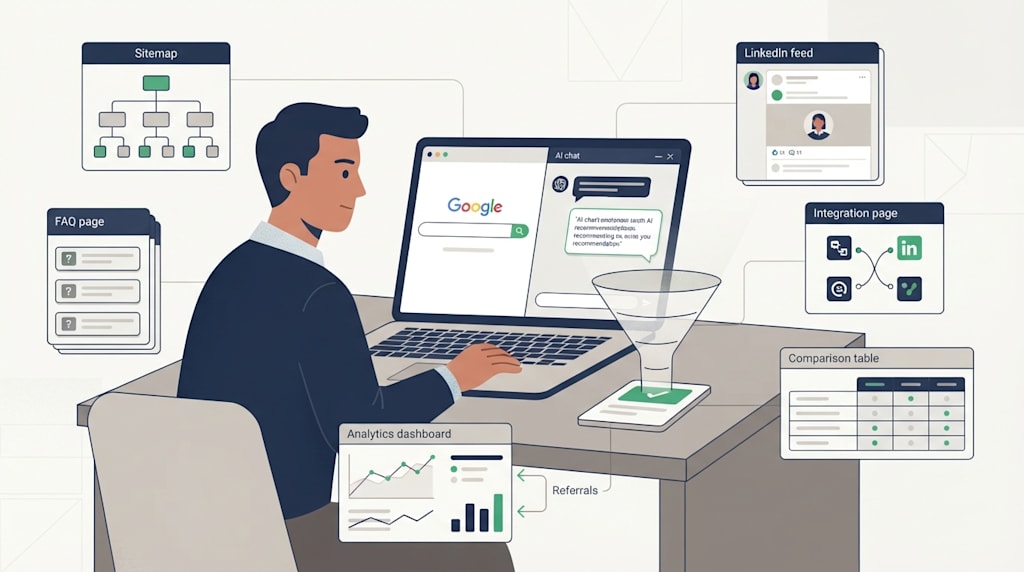
Organic traffic still matters for SaaS. It compounds. A useful page can bring in search visitors, product-qualified leads, and sales conversations for months. Unlike paid ads, it does not stop the moment you pause the budget.
What has changed is where the question starts. More buyers now ask ChatGPT, Claude, Gemini, Perplexity, or Copilot directly:
“What CRM works for a five-person sales team?”
“Which tool helps me sync LinkedIn posts to my website?”
“Compare A and B for an e-commerce business.”
“What should I know before choosing a compliance tool for a small clinic?”
Search is turning into a question-and-answer exchange. That shift has created a new optimization layer: AEO, or Answer Engine Optimization. You will also see it called GEO, or Generative Engine Optimization.
I will not claim that AI assistants already send more leads than Google for every SaaS. That claim needs data, and attribution is messy. AI platforms change fast. Referrers are often missing. Users copy answers and visit later. Some industries see almost nothing. Others see a steady trickle that turns into sales calls.
AEO deserves a place in your plan because the assets overlap with SEO. Clear pages, useful FAQs, strong internal links, accurate product details, external mentions, and clean tracking help both search engines and AI assistants. If you build those assets and measure them over 30 to 90 days, you will know whether AI-assisted discovery is a channel for your business.
Here is the sequence I would use.
1. Understand what AEO is asking you to do
AI assistants do not recommend a product because your homepage says “industry-leading.” They work from signals. The exact mix is unknown and changes by platform, but the useful signals usually fall into five groups:
Entity clarity. Who you are, what you do, who you serve, and which products, industries, integrations, and problems you connect to.
Crawlability. Whether your site can be found and understood: sitemap, robots.txt, internal links, clean headings, structured data.
Content value. Original explanations, screenshots, customer stories, how-to guides, comparisons, FAQs, and glossary pages.
External signals. LinkedIn, Reddit, Quora, review sites, industry media, partner pages, press mentions, and natural backlinks.
Consistency. Your product description, pricing, integrations, and company details agree across your site and external profiles.
AEO is a set of site and content changes. A single uploaded file will not do the job. The work is making your business easy to find, easy to understand, and easy to cite.
2. Make the core pages clear before you add anything clever
Start with the pages every SaaS needs. Check that each one answers a question.
Homepage: one sentence on who you are, what you solve, and who you serve.
About page: company background, team, location, mission.
Product and feature pages: one page per core feature.
Pricing page: plans, limits, and who each plan fits.
Integrations pages: what connects, how it connects, what breaks.
Use case and industry pages: how the product works in a specific setting.
FAQ pages: questions from sales calls, support tickets, and demos.
Glossary pages: industry terms explained in plain language.
Comparison pages: how you differ from alternatives.
Case studies and review pages: customer outcomes.
Do not turn this into a page-count race. A 200-word page of generic AI text is inventory. Each page needs something a reader cannot get from ten other sites: a screenshot, a checklist, a template, a customer quote with a specific result, a clear step-by-step process, or an honest limit.
Add structured data where it fits: Organization, Product, FAQPage, HowTo, Article, BreadcrumbList, and SoftwareApplication. Markup will not guarantee an AI mention. It lowers the cost of understanding your page.
Make sure your site has a working sitemap.xml. Reference it in robots.txt. Check that robots.txt does not block your blog, docs, pricing, or integration pages. A footer link to the sitemap is fine, but the XML sitemap in robots.txt is the mechanism that matters.
You can add an llm.txt file. Keep it short: who you are, what you sell, who you serve, and links to your key pages. Treat it as optional. There is no widely adopted llm.txt standard, and no evidence that every AI platform reads it. It is a low-cost supplement, not the foundation.
3. Build question pages from real conversations
AI assistants answer specific questions. Your site should contain specific answers.
FAQ pages
Do not invent FAQs from a brainstorm. Open your sales inbox. Read support tickets. Listen to demo calls. Check Reddit and Quora for complaints in your category. Write down the questions that keep appearing.
Each answer should include the practical detail: steps, limits, price impact, and alternatives. “Yes, we support that” is not an answer. “Yes. Go to Settings, open Integrations, connect your account, and choose which fields sync. The sync runs every 15 minutes. It does not support custom objects on the Starter plan” is an answer.
How-to guides
Turn each feature, integration, and workflow into a guide. Use a simple structure:
What the reader will achieve
What they need before starting
Steps with screenshots
Common errors
Related pages
A guide does not need to be long. It needs to be usable.
Glossary pages
Term pages are easy to underestimate. “What is lead scoring?” “What is AEO?” “What is domain authority?” These pages can become citation sources when an AI assistant needs a definition. Write them in plain English. Add examples. Link to your product pages only where the link helps the reader.
Comparison pages
Comparison pages work when they are fair. State who each product fits, who it does not fit, the main differences, price differences, migration cost, and limits. A comparison page that reads like an attack ad is easy to dismiss.
How many pages?
If you can make 150 to 200 useful pages, do it. If you cannot, ship 30 to 50 pages that answer questions buyers ask. Quality first. Volume follows.
4. Use LinkedIn as a discovery and trust signal
LinkedIn matters for B2B SaaS. AI assistants often draw on LinkedIn, Reddit, forums, review sites, and industry publications when answering business questions. You cannot control which sources a model uses, but you can make your LinkedIn presence consistent and easy to find.
Do three things:
Publish in your niche. Short posts, case notes, product updates, videos, and industry observations.
Mirror the core ideas on your website. A LinkedIn post is a summary. The full article, checklist, or walkthrough belongs on your site.
Keep author and company information clear. About page, author pages, team pages, social links.
You can embed a LinkedIn feed on your site with a widget. Tools such as LinkedInEmbed can place a feed, profile card, or company page on a page. That can help with social proof and content discovery. It does not guarantee that every crawler or AI system will read the embedded feed. Many embeds load through iframes or JavaScript, and crawl behavior varies.
Use the embed as a supporting signal. Do not use it as a substitute for original pages on your own domain.
A simple workflow works better:
Write a full article on your site.
Publish a short LinkedIn post with the main point and a link.
Add the article to your sitemap and internal links.
Keep the author bio and company page updated.
5. Build external signals, not a pile of links
AI assistants and search engines both need evidence that other people mention you. That evidence can come from:
Industry media and press releases
Customer reviews and review sites
Reddit and Quora discussions
Podcasts and interviews
Guest posts and partner pages
Open-source communities and integration directories
Natural backlinks and brand mentions
Domain Authority
Domain Authority is a Moz metric. It is not a Google ranking factor, and it is not an AI platform score. Use it as a rough reference, not a target.
Build relevance instead:
Links from sites in your category
Brand mentions
Consistent company details across profiles
Directory listings and review profiles
Customer stories with named outcomes
If you use paid link providers or press-release services, audit the placement. Relevance and editorial quality matter. A cheap link package can create visibility and risk at the same time.
Reddit and Quora
These platforms influence AI answers because they contain discussion from people. Do not spam them. Answer questions you understand. Give steps, tradeoffs, and examples. Mention your product when it fits the question. Do not paste the same paragraph into ten threads. Once a community blocks you, the loss is hard to repair.
6. Measure AI-assisted traffic before you scale the work
Set the baseline before you publish a batch of pages.
Referral traffic
In Google Analytics, Plausible, Fathom, or your CRM, watch for referral domains such as:
Many AI referrals arrive with missing or stripped referrers. Some users copy an answer and visit later. Treat referral data as a signal, not a complete count.
UTM links
Use UTM links on channels you control: LinkedIn posts, press releases, partner pages, community posts. This will not capture every AI-assisted visit, but it separates controlled traffic from direct and organic traffic.
Brand search and direct visits
AI recommendations often produce brand searches and direct visits. Watch brand query volume. Ask sales to note when a prospect says, “I saw you in ChatGPT.” Add a source field in the CRM with an option for “AI assistant or search answer.”
Manual mention log
Once a week, ask five core buying questions across ChatGPT, Claude, Gemini, and Perplexity. Record:
Whether your brand appears
Whether your site is cited
Whether the description is accurate
Which competitors appear
This is not perfect measurement. It gives you direction.
7. A seven-day launch checklist
Day 1: Baseline and site check
Add AI referral domains to your analytics view.
Confirm sitemap.xml is live and referenced in robots.txt.
Check that robots.txt does not block key pages.
Review homepage, About, Pricing, and feature pages for clear language.
Add Organization, Product, and FAQPage schema where appropriate.
Day 2: Collect questions
Pull 20 questions from sales emails, support tickets, demo calls, Reddit, and Quora.
Group them into FAQ, how-to, glossary, and comparison topics.
Day 3: Build five feature pages
One page per core feature.
Include a screenshot, steps, limits, and related integrations.
Day 4: Build five integration pages
Explain how the connection works, who it fits, and common problems.
Day 5: Build three comparison pages
State fit, non-fit, differences, price, migration cost, and limits.
Day 6: Fix LinkedIn and author signals
Publish one full article on your site.
Post a summary on LinkedIn with a link.
Update author and company pages.
Decide whether a LinkedIn feed embed adds value.
Day 7: Review and schedule
Check the new pages in your sitemap.
Add internal links from related pages.
Add a CRM source field for AI-assisted discovery.
Schedule the weekly manual mention log.
8. What to expect after 90 days
AEO will not produce a clean, linear chart. Some pages will sit quiet. Some will bring search traffic. Some will be cited by an AI assistant in a way you cannot fully trace. Some sales calls will start with “I asked ChatGPT and your name came up.”
Judge the channel by a mix of signals:
AI referral traffic
Brand search growth
Direct visits
CRM notes from sales
Manual mention logs
Demo and trial source data
If those signals move after 90 days of consistent publishing and tracking, keep going. If they do not, check the basics first: unclear pages, thin content, blocked pages, missing sitemap entries, weak internal links, and no external mentions.
AEO adds a layer for the questions buyers now ask assistants. SEO still matters. The work is plain: clear pages, specific answers, accurate product details, external signals, and tracking that tells you what happened.
Open your analytics now. Add the AI referral filter. Then write the first FAQ page from a sales email.
About the Creator
Jin
Writer of reamstories
https://reamstories.com/jin
Enjoyed the story? Support the Creator.
Subscribe for free to receive all their stories in your feed. You could also become a paid subscriber, letting them know you appreciate their work.
Comments
There are no comments for this story
Be the first to respond and start the conversation.