
I Spent Three Weeks Testing AI Video Ad Tools So You Don't Have To — Here's What Actually Happened
I didn't plan to go down this rabbit hole. It started because I was exhausted.
I run a small content operation — mostly short-form product videos for a few indie brands I work with on a freelance basis. Nothing at enterprise scale, but enough that ad creative production takes up a disproportionate chunk of my week. Last month, I found myself at 11 PM on a Tuesday, re-exporting the same 15-second clip for the fourth time because the aspect ratio kept breaking on mobile previews. That was the moment I decided something had to change.
I'd been hearing a lot of noise around AI-generated ad video — specifically tools that promised to take a product image or a script and spit out something usable for paid placements. Skeptical but desperate, I carved out three weeks to actually test a handful of these tools in a real workflow. Not a demo environment. Real briefs, real deadlines, real clients who would notice if something looked off.
This is what I found.
Why the "Just Use AI" Advice Is More Complicated Than It Sounds
The pitch for any UGC ad generator tool usually goes something like this: upload your product, pick a style, download your video. Thirty seconds, done. And to be fair, that pipeline does work — under very specific conditions that nobody mentions upfront.
The reality is that UGC-style ad content has a particular visual grammar. It's supposed to feel like something a real person filmed on their phone: slightly imperfect framing, natural lighting, the kind of casual energy that doesn't scream "paid placement." That authenticity is precisely why it performs well. According to Nielsen's 2023 Trust in Advertising report, consumer trust in peer recommendations and user-generated content consistently outperforms trust in traditional brand advertising — which is exactly the dynamic these tools are trying to replicate algorithmically.
The problem is that most AI-generated UGC still has a subtle uncanny quality to it. The motion is slightly too smooth. The avatar's gestures don't quite match the cadence of the voiceover. It's not obviously fake, but it's not obviously real either — and that middle ground is actually worse than either extreme.
The Test That Went Sideways
About ten days into my testing, I was working on a short ad for a skincare product. Clean brief: 15-second vertical video, UGC feel, female presenter, conversational tone. I fed the system a product flat-lay image and a script I'd written.
The first output looked promising in the preview thumbnail. But when I played it back at full resolution, the presenter's hand — which was supposed to gesture toward the product — kept phasing through the bottle during fast movement frames. Not dramatically, just enough that it looked wrong. The kind of thing a client notices immediately even if they can't articulate why.
I tried regenerating with a higher motion fidelity setting. The hand issue improved, but now the lip-sync drifted by about half a second during the second sentence. Fix one thing, break another.
What I ended up doing was exporting the audio track separately, re-timing it manually in my editing software, and treating the AI output as a visual layer rather than a finished asset. That added about 40 minutes to the workflow — which, honestly, still beat filming from scratch, but it wasn't the "30 seconds and done" experience the tool implied.
Where the AI Video Ad Creator Workflow Actually Shines
Here's where I want to be honest about the upside, because there genuinely is one.
The area where AI video ad creator tools deliver real, consistent value is in the early ideation phase. Before you commit to a visual direction, you can generate six or seven rough variations in the time it would take to storyboard one. That's not nothing. For a solo operator or a small team, having a visual sketch to react to — even an imperfect one — is dramatically more useful than a blank brief.
I also found that the tools handled static-to-motion transitions better than I expected. Taking a clean product photo and generating a subtle zoom or parallax motion around it — the kind of thing that makes a still image feel alive in a feed — worked reliably across most of the platforms I tested. That specific use case has become a regular part of my workflow now.
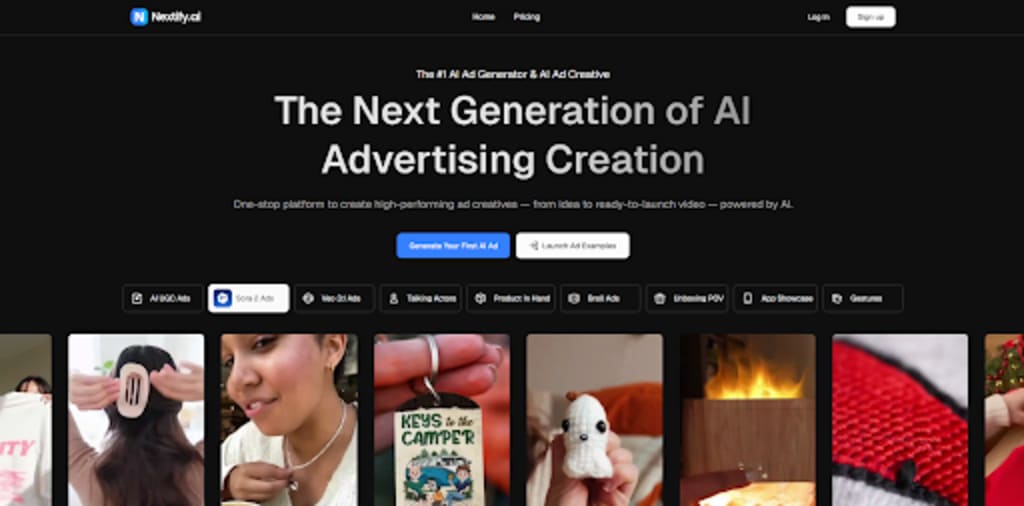
One of the tools I spent the most time with during this phase was Nextify.ai, which I used primarily for batch-generating hook variations from a single product image set. The template structure made it easy to swap visual treatments without rebuilding from scratch each time, which was useful for the A/B testing side of things.
The Consistency Problem Nobody Talks About
This is the issue that surprised me most, and I haven't seen it discussed much in the usual "AI tools for creators" content.
When you're producing ads for a brand — even a small one — visual consistency matters. The color temperature, the framing style, the pacing. Audiences build subconscious associations with these things over time. When I ran the same product through an AI video ad generator on two separate days with nearly identical prompts, the outputs had noticeably different color grading and compositional energy. Not dramatically different, but enough that running them in the same campaign would feel disjointed.
This isn't a bug, exactly. It's a characteristic of how generative models sample from their output distribution — there's inherent variance built into the process. Research from Google DeepMind on controllable video generation has explored how conditioning strength and seed consistency affect output coherence, and the short version is: the more variation you want, the less consistency you get, and vice versa. Finding the right balance for brand work is genuinely tricky.
My workaround has been to establish a "reference output" — one generation I'm happy with — and then use that as a visual anchor for subsequent prompts, describing deviations from it rather than starting fresh each time. It's an extra step, but it produces more coherent series.
What I Actually Think After Three Weeks
These tools are useful. They're also limited in ways that matter for professional work, and the gap between "demo impressive" and "client ready" is still real.
The honest framing, for me, is that AI video ad tools work best as a thinking partner rather than a production pipeline. They help you move fast in the early stages, explore directions you might not have considered, and generate rough material to react to. The final mile — the timing, the brand coherence, the judgment call about whether something actually feels right for a specific audience — that still requires a human in the loop.
I don't think that's a failure of the technology. It's just an accurate description of where it is right now. And for a solo creator trying to do more with limited time and budget, "moves fast and needs some finishing" is genuinely useful — as long as you go in with accurate expectations.
If you've been experimenting with AI-generated ad video in your own workflow, I'd be curious what use cases have felt most reliable for you. Still learning a lot from how other people are approaching this.
About the Creator
Enjoyed the story? Support the Creator.
Subscribe for free to receive all their stories in your feed.
Comments
There are no comments for this story
Be the first to respond and start the conversation.