
I Spent a Week Testing Six App Updates. Three Stayed on My Home Screen.
A week with lire, Darkroom, Time Atlas, Xima, Homebrew, and Fast Times, judged by what I kept and what I deleted.
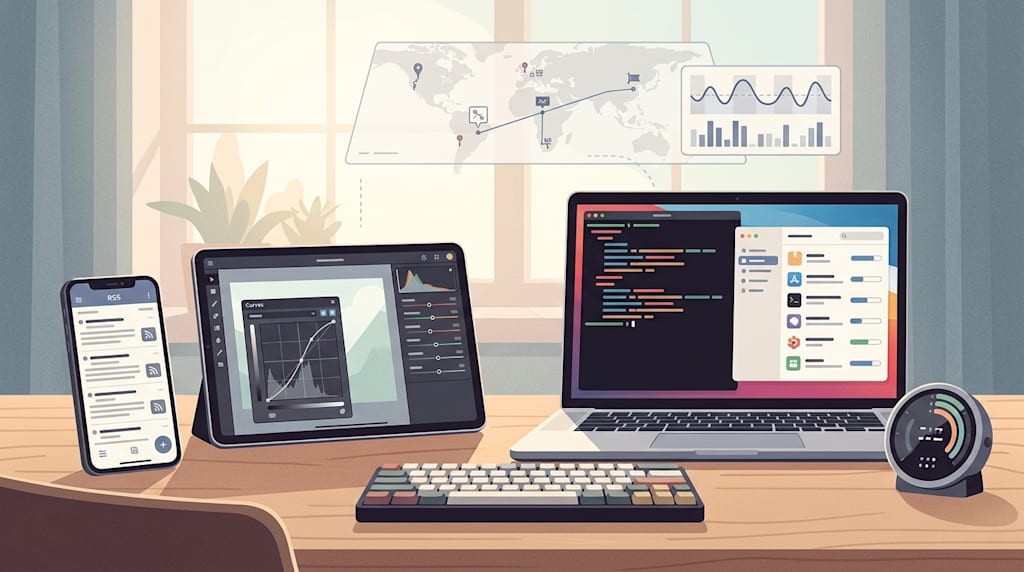
I did not plan to rebuild my app setup. I wanted to read one long article without opening six tabs. That led to a week of testing updates across six tools I already used or had avoided because the last version annoyed me. Some changed how I work. Some changed nothing except my patience.
lire: the summary button as a filter
I read a lot of RSS. Most of it is skimmable. The skimmable stuff still takes time, and the stuff worth reading gets buried.
lire adds a Summarize button in the top left corner of an article. I tried it on a 4,000-word essay about [topic]. It returned a six-sentence summary in about two seconds. The summary was accurate but flat. It removed the writer’s hesitations, the examples, and the one paragraph that made the argument uncomfortable.
That was useful. I used the summary as a filter. It helped me decide whether to read the full article.
I also tried the translation feature on a German newsletter I usually skip. The Translate button sits behind the Aa menu. You have to set the target language first. Once I did, the translation was good enough to follow the argument. It was not good enough for quotes. I would not publish from it without checking the original.
Full-text extraction also improved. A paid newsletter I follow used to show up as a stub. After the update, it pulled the full article. That made the update useful for me.
I turned off swipe navigation. I kept switching articles when I meant to scroll. Now I use the up and down buttons. It feels slower. It is also less annoying.
Darkroom: curves that act like editing tools
I edit photos on my phone more than I want to admit. Most of the time I adjust exposure and hope for the best. Darkroom’s new curves update is the first time I felt like I was editing instead of guessing.
The old curves tool had five vertical control points. That worked for a touchscreen, but I could not separate my black point from my white point the way I wanted. The new version still shows five points, but you can drag them sideways. I used that on a photo from [location] to pull the shadows down without crushing the highlights.
The HSL curves are the bigger change. I used the H/S curve to tone down an orange jacket that was pulling attention away from the face. I used the L/S curve to lift saturation in the shadows without making the whole image look artificial. I am not a colorist. I want the photo to look like what I saw. This got me closer.
The automatic white balance is also better. I used the eyedropper on a gray wall in an indoor shot. It fixed a yellow cast I had been trying to correct manually for ten minutes. The RAW handling now reads the color temperature from the file, which meant less sliding before I started.
The interface is cleaner on my iPad. I did not expect to care about that.
Time Atlas: a life log that works when you ignore it
Time Atlas sounds invasive until you use it. It records where you go, what you did, and how you moved. Then it turns that into a daily timeline with photos, weather, maps, and health data.
The first two days were empty. I almost deleted it. By day four, it had enough data to show me a walk I had forgotten, a coffee shop I stopped at, and the fact that I had slept badly the night before a long meeting.
The timeline does most of the work. It stitches together places and routes without making me label everything. Photos drop in automatically. If there are several from the same stop, they stack into a small album. I could add a note or pick a different cover photo. The timeline felt like a journal that wrote itself. I only added a note when I wanted to.
The Apple Health integration is what made it stick. Seeing my sleep data next to a day where I got nothing done was uncomfortable in a useful way. I did not need another chart. I needed the context.
The AI chat is less useful to me. I asked it to find a trip from [month] and it worked. I do not think I will use it often. The dashboard is the screen I keep opening. It shows steps, altitude, time categories, and notes in one place. It is the closest thing I have to a searchable memory.
I understand why some people hesitate at the subscription. It is not a cheap app. I would not recommend it to someone who wants a step counter. I would recommend it to someone who wants to remember what their days looked like.
Xima input method: a Rime setup that does not feel like a project
I have used Rime-based input methods before. I like the privacy and the control. I do not like spending a weekend editing configuration files.
Xima Input Method is the first Rime-based keyboard I have tried that felt close to ready out of the box. I installed it on [device], imported my old scheme, and started typing. The Android version supports full keyboard and nine-key layouts. I used the floating keyboard when I was lying down. That is a small thing, but it mattered.
The plugin system is where it gets interesting. I downloaded an on-device Chinese speech recognition model from the model store. I used it for short messages. I also tried an online speech plugin for non-sensitive input. It worked, but I turned it off because I did not want the extra step.
The keyboard supports dynamic color on Android. It looks like a modern app, not a configuration tool. That is a strange thing to praise an input method for.
I did not find the Windows build immediately. The comment section had the same question. If you are looking for it, check the project page carefully before assuming it is missing.
Homebrew 7.0: faster, smaller, and graphical
I use Homebrew on macOS for almost everything. The new version is faster in a way I noticed immediately. Installing several packages at once used to involve waiting for definitions to load before anything started. Now it begins downloading sooner. It is a small speed change. You feel it when you are already late.
The bigger change is the official graphical client. I installed it on macOS 26. It shows installed packages, dependencies, and updates. It also runs Doctor without opening Terminal. I still use the command line for most things. When I need to check why something is broken, the app is faster than remembering the right command.
I am on an Apple Silicon Mac, so the Intel support changes do not affect me directly. The timeline is clear: Intel Macs are being pushed out. If you are still on one, this is the year to plan a migration, not the year to ignore it.
Fast Times: a timer that showed me when I eat without thinking
I tried intermittent fasting before. I was bad at it because I forgot when I started. Fast Times fixes that.
I used the 16-hour timer. I ate my last meal, tapped start, and let the app handle the rest. The notification showed the remaining time in a progress bar. I did not have to open the app to know whether I was close.
I forgot to start the timer once. I dragged the node on the ring to adjust the start time. It took a few seconds. That is the point of a tool like this. It stays out of the way.
The weekly and monthly stats were more interesting than I expected. I could see that my longest fasts were not on the days I planned. They were on the days I was busy.
I would not recommend fasting to anyone without talking to a doctor first. The app says so on its own screens. It shows data. It does not pretend to be medical advice.
What I kept
I kept lire for the summary filter and translation, Darkroom for the curves, Time Atlas because it remembers my days better than I do, Xima because it made Rime usable without a weekend of setup, Homebrew because I already depended on it, and Fast Times because it made a habit visible.
I removed three other apps I thought I needed. Two were replacements for tools I already had. One had not been opened since March.
About the Creator
Jin
Writer of reamstories
https://reamstories.com/jin
Enjoyed the story? Support the Creator.
Subscribe for free to receive all their stories in your feed. You could also become a paid subscriber, letting them know you appreciate their work.
Comments
There are no comments for this story
Be the first to respond and start the conversation.