
I Left a Windows 11 Laptop on My Kitchen Table for a Week. Here’s What It Taught Me About “Native” Code.
Microsoft’s move away from web shells is real progress — but it won’t fix the heaviness you actually feel.
The laptop that woke up heavy
I left a Windows 11 laptop on my kitchen table for a week. Each morning I opened the lid and wrote down what happened before I touched the keyboard. I did not install anything. I did not run a benchmark. I opened Task Manager, Settings, a folder of photos, and the Widgets panel. Then I closed the lid and went to work.
By Friday, the log read like a repair ticket.
Monday: the machine wakes up heavy
Widgets had been running since boot. Task Manager put it at a few hundred megabytes. I had not clicked a news story. The fan was quiet. The memory bar was not. Settings took a second and a half to paint. The right-click menu opened in two steps: first a blank tray, then the items.
None of this is dramatic. That is the point. A machine can feel slow without a single crash.
Microsoft has said Windows 11 will rely less on web shells and more first-party code. That decision makes sense. Electron and WebView2 let teams ship a feature fast, then leave the runtime and rendering engine on the user's machine. A weather card can sit on a browser core. One weather app was reported using more than 1 GB through WebView2. Rewriting those pieces in native code can cut startup time and lower memory use. It can make the interface feel less pasted together.
The easy headline is that Microsoft drops Electron and WebView2, rewrites the code in native C++, and Windows 11 feels like Windows 7 again. That headline is too clean. Native code answers what draws the interface. It does not answer how much headroom the system has left to draw it.
The web shell is one layer
WinUI 3 and XAML are still a thick modern container. They load control resources, coordinate styles, and talk across processes. The call stack is not thin just because the code is native.
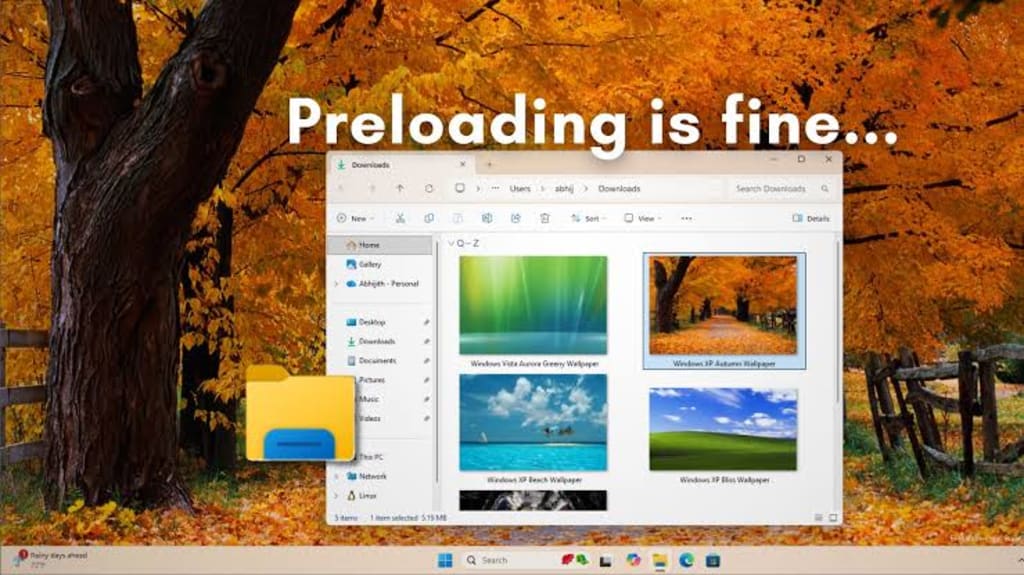
On Tuesday I opened a folder with 4,000 photos. The window appeared, then the contents filled in. Microsoft's File Explorer team has reported a 41% drop in memory allocation and 45% fewer function calls after a large refactor. Those numbers are a rescue operation. Default WinUI did not arrive light enough. It needed a rewrite to get near Win32 responsiveness.
That is the ceiling. Moving from WebView2 to WinUI 3 is a move from very thick to still not thin. The browser smell goes away. The memory bill falls. The right-click menu still passes through a modern control container and process communication. You can hear the difference in a quiet room. You cannot call the result lean.
The stalls below the glass
On Wednesday I played a game. The average frame rate looked fine. The 1% lows had a limp. VBS and kernel isolation were on. The system runs above the Hyper-V hypervisor. Driver calls, hardware interrupts, and memory access pass through an extra virtualization check. Testers have measured a 5% to 15% cost, with a heavier hit on 1% lows. The machine did not stutter on every click. The floor under every click was higher.
Then Defender scanned in the background. The indexer woke up. Telemetry and resident services kept their threads. A stuttering File Explorer can come from the interface layer. It can also come from scanning, indexing, virtualization interception, and background scheduling acting at once. Those costs live in kernel mode and background services. Front-end code in C++ or WinUI cannot touch them. Native code can make the interface draw faster. It cannot give the system more room to draw.
Replacing the windows in an old building makes the glass brighter and tighter. The pipes, wiring, and load-bearing walls stay where they were. The noise and vibration reaching the tenants do not disappear.
The modules that do not leave
On Thursday I watched the Start menu. Search suggestions arrived. Widgets pulled news. Copilot waited. A sync icon turned. None of those modules needed a web shell to keep a thread alive. They exist because they serve features and business goals. Their reason for running does not depend on the front-end stack. As long as they fetch content, sync data, and compute recommendations, background work remains. Rewriting the visible app in native C++ does not set that work to zero.
Microsoft can quiet some ads and pop-ups. It can make the surface less noisy. That is a reduction in visible interference. It is not a withdrawal of commercial background logic.
So what should we call the native push? Damage control for interface-layer technical debt. It deserves support. Web-shell waste and style tearing should be fixed. It is not a weight-loss drug for Windows 11. It is a pain patch for one set of symptoms.
If Microsoft wants Windows 11 to feel light again, native code is a first step. The harder steps are resource budgets and product choices. Give users clear information about VBS and kernel isolation, and give them room to configure the trade-off. Set stricter resource budgets for Defender scans, indexing, and telemetry. Build first-party performance regression checks so native code does not become the next excuse for bloat. Remove commercial background modules instead of moving promotional logic from the front end to the back end.
On Friday I closed the lid. The laptop went to sleep. The web shell was one bag off the back. The other bags were still there.
About the Creator
Jin
Writer of reamstories
https://reamstories.com/jin
Enjoyed the story? Support the Creator.
Subscribe for free to receive all their stories in your feed. You could also become a paid subscriber, letting them know you appreciate their work.
Comments
There are no comments for this story
Be the first to respond and start the conversation.