
How to Securely Download Roundcube Emails for Offline Storage
Securely download Roundcube emails offline using manual steps or the IMAP Backup Tool.


Do you want to save a copy of your Roundcube emails on your computer? It's a good idea to save your emails offline if you're transferring accounts, making space, or just want a personal archive. This post will show you how to safely extract Roundcube emails for offline storage using simple manual techniques and an automated program that works better.
Click Here to Try Now
Why You Should Backup Roundcube Emails
Roundcube, a widely used web-based email client, is implemented by numerous hosting providers. You can get to it quickly, for free, and easily from a browser. But it has risks, just like all internet services. Server problems, hacking, account deletion, or even just making a mistake can all cause you to lose your data. That's why it makes sense to keep a copy of your critical emails on your computer.
You can rest knowing that your data is stored offline. Despite the absence of an internet connection, it is possible to access your data. If you want to switch to a different email service or need a record for personal or legal reasons, it also helps.
Method 1: Manually Download Roundcube Emails
You can use Roundcube's built-in download option if you only need to save a few emails. It's simple, but it can't do a lot of things at once. This is how to accomplish it:
Step 1: Sign in to Roundcube
- Start your browser
- Visit the webmail login page that your hosting company gives you.
- Type in your email address and password.
- Click on "Login"
Step 2: Pick the Email You Want to Keep
- Click on the email you want to save.
- When it opens, check out the toolbar above the message.
Step 3: Get the Message
- Click the More button, which could look like three dots or a drop-down.
- Choose Download (.eml)
- The email will be archived as an EML file.
- Most email applications, including Outlook or Thunderbird, will let you open it later.
Important:
- You need to do the procedures for each email.
- The EML file will have attachments in it.
- This way, you can't download all of your emails at once.
The manual method is not the ideal solution if you want to download a lot of emails at once or back up your whole inbox. You need a special tool for it.
Method 2: Professional Method to Securely Download Roundcube Emails for Offline Storage
To save time and effort, it is advisable to utilize a reputable program like the TrustVare IMAP Backup Tool, which is an easy-to-use program that lets you download and preserve emails from any email server that supports IMAP, such as Roundcube. You may back up your whole mailbox or just certain folders and save them in common formats, including PST, EML, MBOX, and PDF. The application keeps the folder structure, attachments, and original formatting of the email as it backs it up. With its simple interface and step-by-step instructions, anyone can quickly and safely back up their emails.
Follow the Steps Now
- Download the TrustVare IMAP Backup Software.
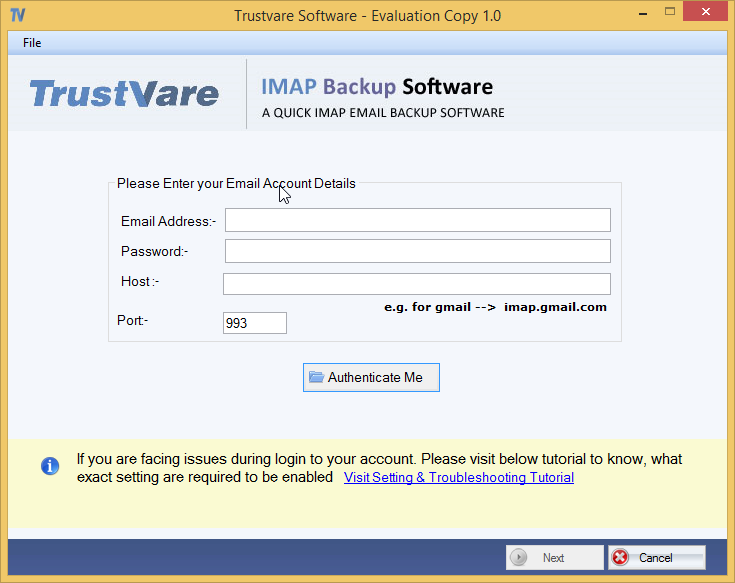
- Immediately, include the login information for your cloud account.
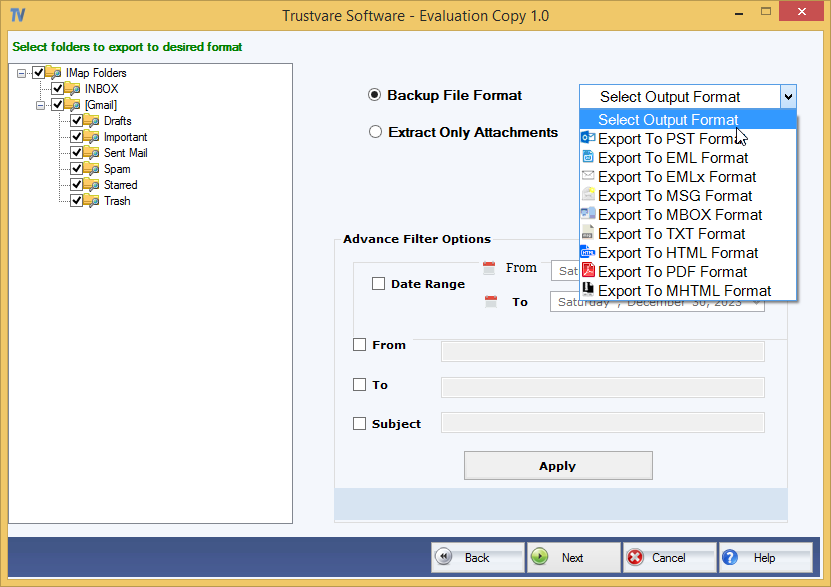
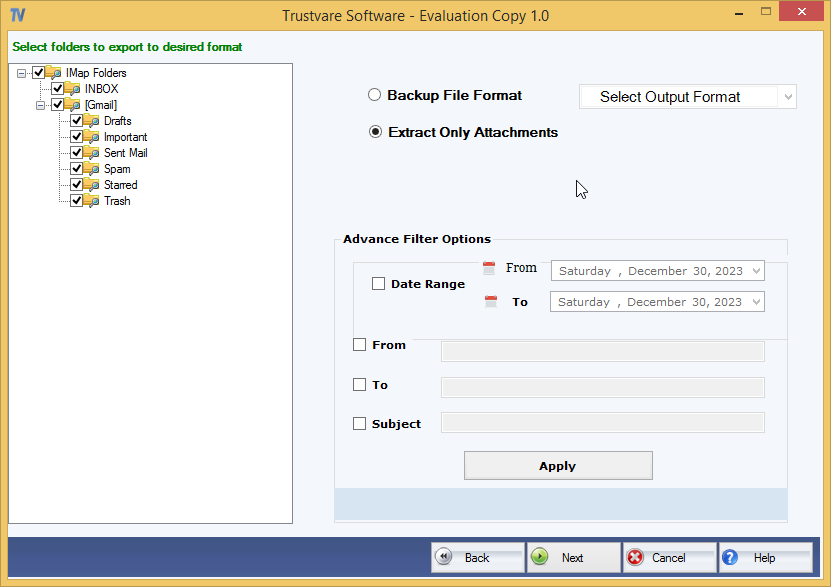
- Afterward, determine the data to be backed up and the file format in which to save the backup.
- Select the Browse icon and specify the location of the backup files you wish to view. Subsequently, select the "Backup Now" option.
Final Thoughts
Downloading Roundcube emails to store them offline helps keep your essential messages safe. If you only have a few emails, do it by hand. The IMAP Backup Tool is the best solution for backing up your entire email. It saves you time and lets you have more control over your data.
Don't put it off until it's too late. Start backing up your Roundcube emails right away so you're ready for anything that comes up
About the Creator
Kevein Mark
I am a content writer. I like write blogs/ content related to technology.
Enjoyed the story? Support the Creator.
Subscribe for free to receive all their stories in your feed.
Comments
There are no comments for this story
Be the first to respond and start the conversation.