
How To Create AI Video From One Story Action
Digital storytellers often struggle when attempting to turn written scene descriptions into compelling video headers.


Digital storytellers often struggle when attempting to turn written scene descriptions into compelling video headers. Preparing visual concepts on viddo succeeds only when authors anchor their prompts to a single concrete physical movement.
Fiction pieces live or die by the pacing of their opening lines. When a reader clicks on a new narrative, the cover image or motion header sets an immediate tone. If that visual element introduces conflicting elements that never appear in the prose, readers feel deceived before finishing the first paragraph. Viddo AI allows authors to transform specific narrative imagery into short motion headers that complement written prose.
The mistake most writers make is treating a video generator like an illustrator that needs every emotional nuance explained in adjectives. Prompts stuffed with literary mood words produce chaotic, unfocused movement. Instead of describing a character's internal grief, an author must select a tangible object performing a single measurable movement across the frame.

Why Written Fiction Demands A Single Sustained Physical Action
Consider an opening scene centered on an abandoned handwritten envelope resting on a worn laminate diner counter. Morning light cuts through dusty venetian blinds, steam rises from a ceramic mug, and a crease in the envelope paper catches the glare. The prose does not mention a bustling street, an approaching waitress, or a sudden thunderstorm outside. The emotional weight of the chapter rests entirely on that unread message sitting inches from cold coffee.
When converting this moment into motion, the author must resist the urge to turn the scene into a mini-movie with multiple cuts. A reader glancing at an article header has three to five seconds to register the atmosphere. If the camera tries to pan around the room, track out the window, and reveal a parking lot, the intimacy of the prose dissolves into generic stock footage.
The sole job of the motion cover is to honor the stillness of the writing while giving it breath. A delicate trail of steam drifting past the envelope, or morning shadows creeping a fraction of an inch across the formica surface, preserves the mystery without inventing plot points that contradict subsequent paragraphs.
How To Isolate The Core Movement Before Generation
Before launching any generation tool, writers should extract the physical nouns and primary motion directly from their opening draft. This preparation prevents impulse prompt editing and keeps the visual output grounded in the text.
Highlight the central physical object and surface described in your opening sentence.
Choose one subtle environmental movement, such as rising coffee steam or shifting morning light.
Draft a clean prompt containing only the concrete objects, lighting direction, and chosen motion.
Remove all abstract literary phrases, character backstories, and metaphorical mood descriptors.
Working within Viddo AI, authors can focus on subtle motions rather than complex cinematic gymnastics. Restricting the prompt to concrete physical anchors ensures that the generated scene remains true to the writer's original setting.
Identifying Physical Anchors Across The Diner Counter
Physical anchors provide the generator with spatial reference points. In our diner scenario, the anchors are the white ceramic mug, the yellowed paper envelope, and the dark laminate counter. These objects establish depth, reflection, and scale within the frame.
Specifying these tangible elements prevents the model from generating random background distractions. When a prompt clearly defines where the saucer sits in relation to the letter, the generated motion respects those physical boundaries, creating a believable and stable tableau.
Pruning Atmospheric Adjectives That Distract The Motion
Words like melancholic, nostalgic, haunting, or sorrowful sound evocative in a manuscript, but they confuse generative algorithms. Generative engines interpret emotional adjectives by introducing exaggerated camera angles, oversaturated lighting, or unnecessary melodrama.
Pruning those subjective words leaves a clean instructional statement: warm morning sun across a diner counter, steam curling from a coffee mug, stationary envelope on laminate. The physical description produces the mood naturally, allowing the reader's imagination to supply the narrative tension.
Setting Generation Controls For Landscape Article Headers
Publishing platforms favor landscape visual headers that span the top of a reading column. On the main interface of Viddo AI, writers find dedicated parameters that configure aspect ratio and length to match editorial formats.
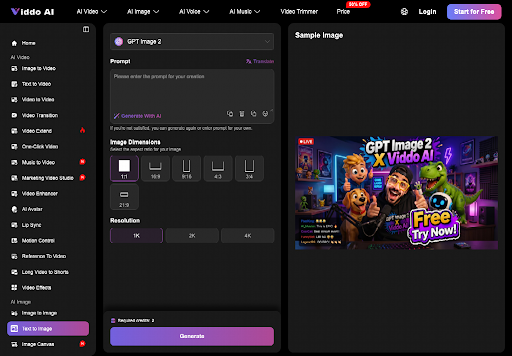
Set the aspect ratio control firmly to 16:9. A wide landscape frame comfortably accommodates the horizontal arrangement of the diner counter, placing the mug on the left third and the letter on the right. Attempting to generate a vertical cut simultaneously forces awkward cropping and often introduces unwanted ceiling fixtures or floorboards to fill vertical space.
The length control can sit at 15 seconds. This setting offers sufficient breathing room for environmental movement to loop naturally without feeling rushed. A very short cover ends too soon, before the reader settles into the mood, while an overly long sequence invites narrative shifts that a static scene does not need.
This deliberate configuration allows creators to create ai video assets that fit their publishing templates without requiring external cropping or post-production scaling.
Verifying The English Translation Before Clicking Generate
Authors writing prompts in languages other than English frequently rely on automated translation features built into the interface. The Translate button automatically converts input phrasing into clear English instructions optimized for generative interpretation.
Writers must carefully inspect the resulting English line before launching generation. Automated translation can occasionally substitute crucial nouns, turning an envelope on a counter into a package on a table or transforming a ceramic mug into a paper cup. Verifying that the translated prompt retains your exact physical anchors takes thirty seconds and saves valuable editing time.
Expanding Concise Prompts Without Diluting Narrative Focus
When an author provides a very brief baseline prompt, the Generate With AI utility can flesh out camera lighting and textural subtleties. However, writers should invoke this expansion feature only after their core physical objects and primary action are explicitly defined.
Allowing an automated expander to operate on a vague phrase like a diner morning invites generic clutter. The tool will assume the author wants neon signs, parked cars, or chrome jukeboxes. Conversely, feeding the expander a precise phrase centered on the letter and mug ensures that any added descriptive detail enhances surface realism rather than inventing new props.
Preventing Unnecessary Secondary Characters In Empty Settings
A frequent failure mode in automated prompt expansion is the sudden insertion of human figures. Generative systems often associate restaurant counters with seated customers, busy cooks, or hovering staff.
If your narrative opening depends on solitude and silence, explicitly confirm that your prompt specifies an empty counter. Reviewing expanded phrasing prevents unexpected silhouettes from appearing in the background, preserving the quiet isolation that your story requires.
Reviewing The Generated Sequence Against The Opening Sentence
Once the motion render completes, evaluate the clip by placing it directly above your opening paragraph. The primary test is whether the motion distracts from or reinforces your prose. If the movement draws attention away from the words, the asset requires adjustment.
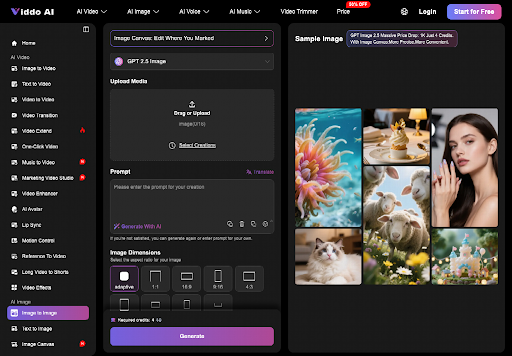
Watch the generated clip directly against your opening sentence to confirm that the visual header establishes the correct narrative cadence. Check that the envelope remains clearly visible, that the coffee steam moves at a natural tempo, and that the lighting matches the time of day described in your text. Authors using Viddo AI should discard any cut that introduces distracting movement and revise the prompt before publication.
Deciding When A Motion Header Enhances Your Story
Motion covers represent a powerful engagement tool for independent creators, but they must be deployed with editorial judgment. Not every short story or personal essay benefits from moving imagery above the headline.
Use the cover when the opening paragraph hinges on that counter and letter. Skip it when your prose relies on interior monologue that motion would only flatten.
By treating generative video as a disciplined craft focused on concrete physical motion, authors can produce visual companions that enrich their published writing while respecting the reader's imagination.
About the Creator
Enjoyed the story? Support the Creator.
Subscribe for free to receive all their stories in your feed.
Comments
There are no comments for this story
Be the first to respond and start the conversation.