
How to Choose the Right WordPress Theme for Your Website
How to Choose the Right WordPress Theme for Your Website
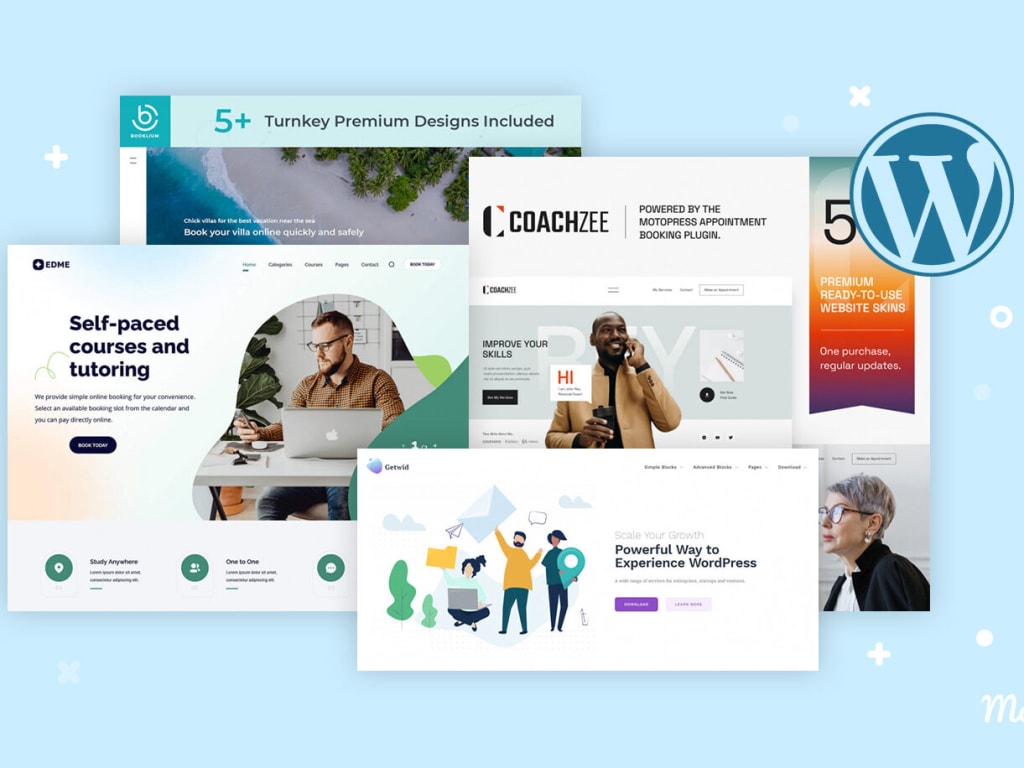
Selecting the perfect WordPress theme for your website can feel like a daunting task. With thousands of options available, how do you make sure the one you choose not only looks great but also performs well? Your website’s theme is the foundation of your online presence. It determines both the appearance and functionality of your site, so it's crucial to pick one that aligns with your goals, brand identity, and user needs.
In this article, we’ll walk you through a few essential steps to help you choose the right WordPress theme for your website.
1. Understand Your Website’s Purpose
Before you dive into choosing a theme, take a moment to define the purpose of your website. Is it a blog, an online store, a portfolio, or a business website? The theme you choose should align with the primary goal of your site.
Blog or Content Site: Look for themes that emphasize readability and content organization. Features like good typography, responsive design, and easy navigation are essential.
E-Commerce Site: You’ll need a theme optimized for online stores, with built-in support for WooCommerce or similar plugins. Make sure it supports product pages, checkout, and payment gateways.
Portfolio or Creative Site: Themes with large image galleries, clean designs, and minimalist layouts are perfect for showcasing creative work.
Business Website: Opt for professional themes with built-in tools for service offerings, contact forms, testimonials, and team profiles.
2. Prioritize Responsiveness and Mobile Compatibility
In today’s world, mobile traffic accounts for more than half of all web visits. So, your theme must be responsive, meaning it should look good and function properly on all devices—whether it’s a smartphone, tablet, or desktop computer.
Many WordPress themes now come with mobile-first designs or have options to adjust layouts for smaller screens. Be sure to test your theme on multiple devices to ensure it performs well across different screen sizes.
3. Focus on Speed and Performance
Site speed is crucial for both user experience and SEO. A slow website will frustrate visitors and can even cause them to leave. In fact, studies show that 40% of people abandon a site if it takes more than 3 seconds to load.
When choosing a WordPress theme, pay attention to the following:
Optimized code: Well-written themes are lightweight and don’t include unnecessary bloat that could slow down your site.
Page load speed: Many theme developers include speed optimization features, but you should also consider using performance plugins like caching tools and image optimization plugins.
4. Ensure Customization Options
Every website is unique, and your theme should offer flexibility for you to customize the look and feel of your site. Some themes come with built-in drag-and-drop page builders, allowing you to easily change layouts, fonts, colors, and more without needing any coding knowledge.
Even if you don’t plan on doing extensive customization, you should still ensure the theme provides options to adjust the following:
Colors and fonts: Match your branding by having control over color schemes and typography.
Header and footer layouts: These are some of the most critical areas for navigation and branding.
Widgets and sidebars: Customizing these elements can improve your website’s usability.
5. Check for Compatibility with Essential Plugins
WordPress plugins enhance the functionality of your website, and you’ll want to ensure your theme is compatible with some key plugins. Here are a few to consider:
SEO plugins: These help optimize your website for search engines, making it easier for people to find you.
Caching and performance plugins: Speed optimization tools like WP Rocket or W3 Total Cache can dramatically improve page load times.
Contact form plugins: If you need a contact form, make sure the theme supports popular plugins like Contact Form 7 or WPForms.
E-commerce plugins: If you plan to sell products or services, ensure compatibility with WooCommerce or similar e-commerce plugins.
6. Support and Documentation
The quality of customer support and the availability of comprehensive documentation are essential when choosing a WordPress theme. Even the most intuitive themes might have some nuances you need help with as you work on your website.
When looking at a theme, consider:
Support: Does the theme come with dedicated customer support? Are there reviews that mention responsive and helpful support?
Documentation: Check if the theme provides clear and thorough documentation that can guide you through the installation and customization process.
7. Read Reviews and Test the Theme
One of the best ways to assess a theme’s quality is by reading user reviews. Look for feedback on functionality, ease of use, and any issues or bugs that users have encountered. Additionally, many themes offer demos—take advantage of these to test how the theme looks and functions before you commit.
You can also look for themes that offer free versions or demos. This gives you a risk-free opportunity to test the theme on your own site before deciding to purchase the full version.
8. Ensure Regular Updates and Security
WordPress themes need to be updated regularly to remain compatible with the latest WordPress version and to ensure security. A theme that’s frequently updated is less likely to have bugs or security vulnerabilities.
When you choose a theme, check the developer’s update history to see if they’ve been actively maintaining it. A good theme developer should release updates consistently, whether for security patches, new features, or compatibility with WordPress updates.
9. Keep Your Budget in Mind
Themes come in both free and premium options. While free themes may seem appealing, they often lack the customization features, support, and regular updates that premium themes offer.
Free themes: These are a great choice if you’re just starting and on a tight budget, but be prepared for limited features and support.
Premium themes: These typically cost between $30 and $100 and come with more advanced features, better support, and regular updates.
If you choose a premium theme, ensure that the cost is justified by the features and the value it brings to your site.
10. Look for a Theme Built for SEO
A well-coded theme can positively impact your website’s SEO, helping it rank higher in search engines. When evaluating a theme, consider the following SEO factors:
Clean code: A theme with clean and efficient code ensures that search engines can crawl and index your site more easily.
Schema markup: Some themes come with schema markup, which provides search engines with additional information about your content.
Fast load times: As mentioned earlier, site speed plays a major role in SEO. A fast-loading theme can give your site an SEO advantage.
Conclusion
Choosing the right WordPress theme is a significant decision that impacts the performance, functionality, and overall success of your website. By keeping in mind factors such as your website’s purpose, responsiveness, performance, customization options, plugin compatibility, and SEO, you’ll be well on your way to selecting a theme that supports your goals and provides a great experience for your visitors.
Remember, there’s no one-size-fits-all answer. Take your time to explore various themes, read reviews, test them, and choose one that aligns with your vision for your site. With the right WordPress theme in place, you’re ready to create a website that stands out and delivers value to your audience.
About the Creator
Enjoyed the story? Support the Creator.
Subscribe for free to receive all their stories in your feed.
Comments
There are no comments for this story
Be the first to respond and start the conversation.