
Exchange Server Subscription Edition
The On-Prem Crossroads You Can't Ignore

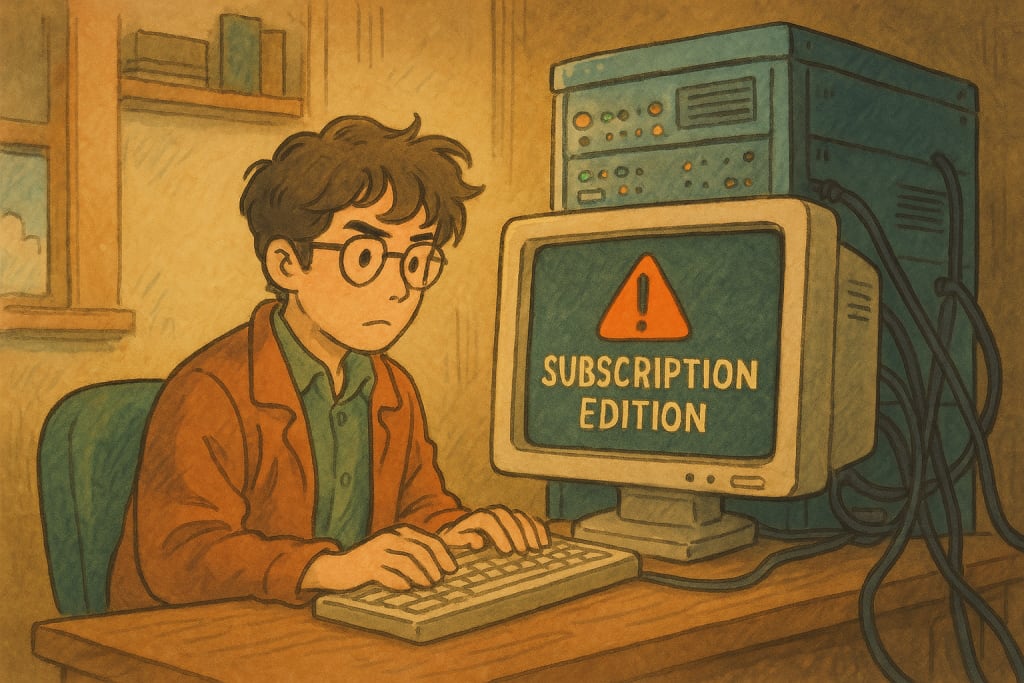
You're managing your Exchange environment. Maybe 2016, maybe 2019. It hums along. Sure, patching is a thing, but it’s your server, your data, under your roof. You’ve seen the cloud push and heard the whispers about the "next version" of Exchange.
Then, Microsoft dropped the news that the Exchange Server 2016 and 2019 End of Life is due later this year (Oct 2025).
Not only that, the replacement candidate they announced is Exchange Server Subscription Edition (SE). And maybe you initially thought, "Okay, a new version, new name, probably some new features. Business as usual."
Wrong. Dead wrong.
If you think this is just another Exchange release cycle, you're walking straight into a planning nightmare. The shift to Exchange Server SE isn't just an upgrade path; it's a fundamental rewire of how you license, pay for, and qualify to even run on-premises Exchange.
Let me say this clearly: Treating Exchange Server SE like just another version upgrade is the trap. Believing you can just coast along on your existing licenses or skip Software Assurance? That comfortable illusion shatters in July 2025.
The Bombshell: Subscription Isn't Optional, and SA/Cloud Subs Are the Gatekeepers
Forget perpetual licenses for new Exchange deployments going forward. SE is subscription only. But here's the kicker, straight from Microsoft's April 4th, 2025 update:
"In order to deploy and use Subscription Edition server products, customers must have active Software Assurance (SA) or cloud subscription licenses for all users and devices that access them." (Source: Microsoft Blog Post, April 4, 2025)
Read that again. This isn't a suggestion. It's the entry requirement. Got users hitting that SE server? They must be covered by active SA on a CAL or an appropriate cloud subscription license (like Microsoft 365). No SA? No qualifying cloud sub? You cannot run Exchange Server SE. Period.
This aligns Exchange SE with SharePoint SE and Skype for Business SE (also hitting GA in July 2025). The message is crystal clear: Continued on-prem use is now explicitly tied to an ongoing financial commitment via SA or cloud subscriptions.
Brace for Impact: Price Hikes Coming July 1st, 2025
Think the mandatory SA/sub coverage is the only financial sting? Think again. Timed precisely with the SE launch:
Exchange Server SE (and other standalone servers like SharePoint/SfB SE) prices are increasing by 10%.
Core CAL Suite prices are increasing by 15%.
Enterprise CAL Suite prices are increasing by a whopping 20%.
These price changes hit on July 1, 2025.
This is in line with the other Microsoft 365 business price increases that happened on the 1st of April
So, not only do you need ongoing SA or cloud subscriptions, but the underlying cost of that SA (based on license price) and the CAL Suites themselves are going up. Budget planning just got significantly more critical.
The Timeline Isn't Forgiving: Key Dates You MUST Know
Feb 10, 2025: Exchange 2019 CU15 released. This is the FINAL CU for 2019 and the functional baseline for SE RTM.
July 2025 (Confirmed): Exchange Server SE becomes Generally Available (GA). Functionally, it's 2019 CU15 with new branding, and the mandatory subscription licensing kicks in.
Oct 14, 2025: Exchange Server 2016 Extended Support ENDS. The clock is ticking LOUDLY if you're still in 2016.
Late 2025: Exchange Server SE CU1 planned release. This is where the real technical shifts land.
That window between SE GA (July) and the 2016 deadline (October) is brutal. No time for delays.
Beyond Licensing: The Technical Gut Punch of SE CU1 (Late 2025)
Don't let the RTM release lull you. SE CU1 is where the platform makes decisive breaks from the past:
Kerberos Default (Server-to-Server): Finally! Moving away from NTLMv2 internally. Good for security, but it ensures your environment is healthy. (Source 2)
Admin API Arrives, Remote PowerShell (RPS) Deprecates: Get ready for modern, likely REST-based management. Are your old PowerShell scripts relying heavily on RPS? They will break. Start planning the transition. (Source 2)
Outlook Anywhere (RPC/HTTP) Removed: DEAD. GONE. FINISHED. If your Outlook clients aren't using MAPI/HTTP before CU1 lands, they will stop connecting. No excuses. (Source 2)
Coexistence AXED: This is HUGE. SE CU1 will NOT run alongside Exchange 2013, 2016, or even 2019 in the same AD org. You must be purely SE (or hybrid) by the time you install CU1. Mixed environments become unsupported instantly. (Source 2)
Other Deprecations: VC++ Redist update needed, UCMA 4.0 and OWA IM feature removed. (Source 2)
Ignoring these CU1 changes isn't an option. It's setting yourself up for failure.
The Upgrade Gauntlet: How You Get to SE Matters
Your path depends entirely on where you are now.
The "Easy" Route (In-Place Upgrade): Running Exchange 2019 CU14/CU15 on Windows Server 2022 or 2025? Congrats. The move to SE RTM should feel like a CU install. But remember the mandatory licensing change. (Source 1, 11)
The Necessary Grind (Legacy Upgrade): Still on Exchange 2016 (or God forbid, earlier)? Buckle up. You build NEW SE servers (on Win Svr 2019/2022/2025), migrate everything (mailboxes, connectors, settings), test relentlessly, and then decommission the old iron.
Crucial 2016 Advice: Microsoft's strong recommendation? Upgrade 2016 -> 2019 CU15 first (legacy). Then, do an in-place upgrade from 2019 CU15 to SE RTM later. Don't try a direct 2016 -> SE RTM hop unless you enjoy extreme risk near the support cliff.
Exchange 2013 or Earlier: Stop. You must fully remove these ancient versions before you even think about installing 2019 CU15 or SE. Coexistence is already dead for 2013 in CU15.
And yes, Hybrid keeps working. The free hybrid key via the HCW for eligible M365 tenants remains.
Stop Coasting, Start Acting: Your SE Action Plan
Sitting back and waiting isn't strategy; it's surrender. You need to move NOW:
Audit Your Reality: What versions are you really running? What OS? Which clients connect and how (MAPI/HTTP!)? How many users/devices need access (for licensing)? Get brutally honest.
Validate Your Licensing: Do ALL your accessing users/devices have active SA or qualifying cloud subs right now? If not, fixing this is Priority Zero before July 2025. Factor in the price hikes. Talk to your Microsoft account team or partner ASAP.
Map Your Path: Define your upgrade strategy (in-place vs. legacy, potential 2019 CU15 interim step). Build timelines. Allocate resources.
Build & Test Your Lab: Spin up Win Svr 2022/2025, install 2019 CU15 (soon to be SE RTM equivalent), test your migration/upgrade process rigorously. Practice the CU1 install and test the impact of those changes (especially client connectivity and admin scripts).
Prepare for CU1 Disruptions: Mandate MAPI/HTTP now. Start investigating the Admin API. Plan the final decommissioning of any older Exchange server before CU1 is deployed.
Budget for Reality: Incorporate ongoing subscription costs (SA/Cloud Subs) AND the July 2025 price increases into your IT budget FOREVER. This isn't a one-time hit.
Embrace the Cadence: Plan for the bi-annual CU releases (H1/H2). The Modern Lifecycle Policy means staying current isn't optional for support.
Final Thought: Adapt or Get Left Behind
Exchange Server Subscription Edition isn't just software; it's a declaration. Microsoft is supporting on-prem, but on their terms – tied to ongoing investment (SA/subs) and a faster update cadence via the Modern Lifecycle. The price hikes underline this reality.
You need deep knowledge, meticulous planning, and decisive action.
So, how ready are you, really? Have you validated your SA/cloud sub coverage? Is your migration plan solid? Let's talk realities. The future of your on-prem Exchange depends on facing this head-on, starting today.
To get more troubleshooting tactics and clever guides, please visit exchangemvp.org
About the Creator
Exchange MVP Tips
Expect Exchange Server Tips and Guides
Enjoyed the story? Support the Creator.
Subscribe for free to receive all their stories in your feed.
Comments
There are no comments for this story
Be the first to respond and start the conversation.