
EASIEST WAY TO EARN MONEY BY CREATING APP
How I earn over $100 daily with google admob. This is mind blowing 😊☺️😱
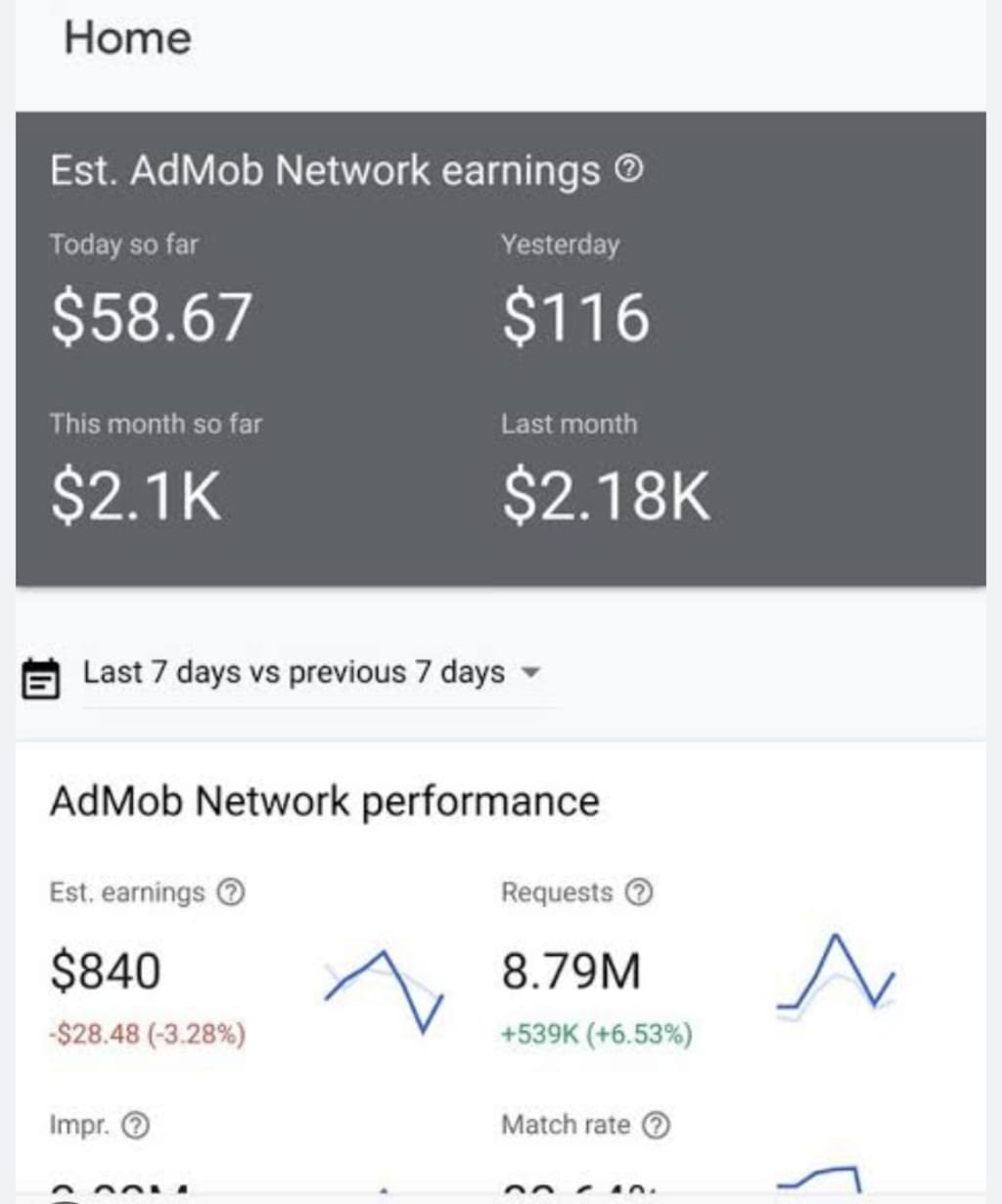
Well I congratulate you for if you are beating able to read this 🤝☺️ even if you are broke, trust me after reading this and if you work towards it you will be able to earn at least $20k monthly without paying anything to anyone. You will be your own boss and your lifestyle will change to good forever 😊 please read to the end
What is google admob all about?
Admob is a mobile advertising platform that allows mobile app developers to monetize their apps by displaying ads in them. It is owned by Google and it offers a range of ad formats, including banner ads, interstitial ads, and rewarded video ads, among others. Admob is free to use and it provides developers with tools to track their ad performance and revenue.
How does it works?
Admob works by allowing app developers to integrate ads into their apps. The ads are provided by advertisers who create ad campaigns on the Admob platform. The ads are then displayed in the app, and the app developer earns revenue based on the number of clicks or impressions the ads receive. Admob uses a real-time bidding system to ensure that the ads shown in the app are relevant and valuable to users. This means that advertisers bid on the ad space in real-time, and the highest bidder's ad is displayed. Admob also provides developers with tools to track their ad performance and revenue and admob pays you In dollars at every 21st of the month. That’s mind blowing right?
So how would I create an admob account to start earning?
To create an Admob account, you'll need to have a Google account. If you don't have one, you can create one for free. Once you have a Google account, you can go to the Admob website and sign up for an account. You'll need to provide some information about yourself and your app, such as your name, email address, app name, and app platform. You'll also need to accept the Admob terms and conditions. Once you've signed up, you can start creating ad units and integrating them into your app.
Step by step guide on how to create an admob account
Here's a step-by-step guide on how to create an Admob account:
1. Go to the Admob website: https://admob.google.com
2. Click on the "Sign Up" button.
3. Sign in with your Google account or create a new one if you don't have one yet.
4. Once you're signed in, you'll be asked to provide some information about yourself and your app, such as your name, email address, app name, and app platform. Fill in the required information and click on "Create Account".
5. You'll then be taken to the Admob dashboard, where you can start creating ad units and integrating them into your app.
Here's how to create an ad unit:
1. Click on the "Apps" tab in the Admob dashboard.
2. Click on the app for which you want to create an ad unit.
3. Click on the "Ad Units" tab.
4. Click on the "New Ad Unit" button.
5. Choose the ad format you want to use (such as banner, interstitial, or rewarded video) and click on "Select".
6. Fill in the required information, such as the ad unit name and ad size, and click on "Create Ad Unit".
7. You'll then be given an ad unit ID, which you can use to display ads in your app.
Here's how to integrate the ad unit into your app:
1. Follow the Admob instructions on how to integrate the ad unit into your app. The instructions will depend on the app platform you're using (such as Android or iOS).
2. Once you've integrated the ad unit into your app, you can start displaying ads and earning revenue.
That's it! You've now created an Admob account and integrated an ad unit into your app.
So the next step for you is to create your app
How to create an app
To create an app, you'll need to have some programming knowledge. There are different programming languages you can use to create apps, such as Java, Kotlin, Swift, and React Native, among others. Once you have the programming knowledge, you can use an Integrated Development Environment (IDE) to write and test your code. Some popular IDEs for app development include Android Studio, Xcode, and Visual Studio. You'll also need to have a clear idea of what you want your app to do and how it will solve a problem or meet a need. You can then design the user interface and user experience of your app. Once your app is ready, you can publish it on app stores such as Google Play store, Amazon apps and Apple Store.
Well, you will be thinking that it’s not for you at this point because you had no knowledge about coding right? Well I ghat you covered again 😊 you can create your app for free without coding 😌 it is getting sweet right? Then follow me let me show you some sites and apps that allows you to create an app for free without coding.
Here are some websites and apps that allow you to create an app for free without coding:
1. Appy Pie: Appy Pie is a popular app builder that allows you to create an app without coding. You can create apps for iOS, Android, and Windows platforms.
2. BuildFire: BuildFire is another app builder that allows you to create an app without coding. You can create apps for iOS and Android platforms.
3. AppInstitute: AppInstitute is an app builder that allows you to create an app without coding. You can create apps for iOS and Android platforms.
4. AppMakr: AppMakr is an app builder that allows you to create an app without coding. You can create apps for iOS and Android platforms.
5. Thunkable: Thunkable is an app builder that allows you to create an app without coding. You can create apps for iOS and Android platforms. And lots more
App Creator24 and MobEasy App are also app builders that allow you to create Android and iOS apps without coding. App Creator24 offers a free plan with limited features, as well as paid plans with more features. Mobs App also offers a free plan with limited features, as well as paid plans with more features. However, I recommend researching each app builder to determine which one best suits your needs. But the sites that I preferred using are BuildFire, MobEasy app and app creator 24.
Remember that these app builders may have limitations and you may not be able to create a fully customized app.
Step by step guide how to create app using BuildFire
Here's a step-by-step guide on how to create an app for free without coding using BuildFire:
1. Visit the BuildFire website and sign up for a free account.
2. Once you've signed up, log in to your account and click on the "Create New App" button.
3. Choose a template for your app from the available options. You can also choose to start from scratch.
4. Customize your app by adding your own content, images, and branding. You can also choose from a variety of features such as push notifications, forms, and social media integration.
5. Preview your app to see how it looks and make any necessary changes.
6. Once you're happy with your app, publish it to the app stores.
7. Share your app with your friends and family to get feedback and improve it over time.
How to link your admob account with BuildFire
To build an app using BuildFire and link it to AdMob ads, please follow these steps:
1.In your BuildFire app dashboard, navigate to the "Monetize" section and click "AdMob."
2. Enter your AdMob ad unit ID in the provided field.
3. Save your changes and publish your app.
That's it! Your app is now linked to AdMob ads and you can start earning revenue from your app.
Remember that the free plan on BuildFire has limited features, so you may need to upgrade to a paid plan to access more advanced features.
Step by step guide on how to build app using Appcreator24
Here's a step-by-step guide on how to create an app for free without coding using AppCreator24:
1. Go to the AppCreator24 website and sign up for a free account.
2. Once you've signed up, log in to your account and click on the "Create New App" button.
3. Choose a template for your app from the available options. You can also choose to start from scratch.
4. Customize your app by adding your own content, images, and branding. You can also choose from a variety of features such as push notifications, forms, and social media integration.
5. Preview your app to see how it looks and make any necessary changes.
6. Once you're happy with your app, publish it to the app stores.
7. Share your app with your friends and family to get feedback and improve it over time.
How to link your admob account with your application
To build an app using AppCreator24 and link it to AdMob ads, please follow these steps:
1.In your AppCreator24 app dashboard, navigate to the "Monetize" section and click "AdMob."
2. Enter your AdMob ad unit ID in the provided field.
3. Save your changes and publish your app.
That's it! Your app is now linked to AdMob ads and you can start earning revenue from your app.
It's important to note that the free plan on AppCreator24 has limited features, so you may need to upgrade to a paid plan to access more advanced features.
You can also make research on how to build app on other websites
So after you have created your app next step is to publish your app on google playstore or amazon App Store or Apple Store.
How to publish app on playstore
For you to publish an app on playstore you will have to use $25 to create google console account.
Step by step guide on how to upload apps on google playstore
To upload your app on Google Play Store using Google Console, please follow these steps:
1. Sign up for a Google Play Console account with $25
2. Create a new app in the Google Play Console and fill out the required information, including the app's title, description, and screenshots.
3. Upload your app's APK file to the Google Play Console.
4. Set up pricing and distribution options for your app if you want to add the price but it is optional
5. Submit your app for review and wait for it to be approved.
6. Once your app has been approved, it will be available for download on the Google Play Store.
Now you have completely publish your app on playstore 😊🤝
Step by step guide on how to publish app on Amazon
For you to publish app on amazon store you don’t have to pay any money.. it is totally free 😱
To publish your app on Amazon App Store, please follow these steps:
1. Sign up for an Amazon Developer account.
2. Create a new app in the Amazon Developer Console and fill out the required information, including the app's title, description, and screenshots.
3. Upload your app's APK file to the Amazon Developer Console.
4. Set up pricing and distribution options for your app.
5. Submit your app for review and wait for it to be approved.
6. Once your app has been approved, it will be available for download on the Amazon App Store.
Step by step guide on how to publish app on AppStore
To publish an app on the App Store, you need to pay an annual fee of $99.
To publish your app on the Apple Store, please follow these steps:
1. Sign up for an Apple Developer account.
2. Create a new app in the App Store Connect and fill out the required information, including the app's title, description, and screenshots.
3. Upload your app's binary file to the App Store Connect.
4. Set up pricing and distribution options for your app.
5. Submit your app for review and wait for it to be approved.
6. Once your app has been approved, it will be available for download on the Apple Store.
You can contact me if you need more information about this
You can completely do this in just an hour if you really want to earn in dollars like me . Wish y’all the best of luck and happy earnings 😍
About the Creator
Enjoyed the story? Support the Creator.
Subscribe for free to receive all their stories in your feed.
Comments
There are no comments for this story
Be the first to respond and start the conversation.