
Corporate Training Platform Development
Find out how corporate training platform development works—from onboarding and compliance features to architecture, integrations, and long-term scaling.


As traditional training methods lose their effectiveness, an increasing number of organizations are developing bespoke digital learning solutions for internal use. Relying on static files, disjointed video clips, or one-size-fits-all Learning Management System (LMS) modules is often insufficient for rapidly expanding, geographically dispersed teams navigating evolving operational procedures.
This shift highlights the value of creating tailored corporate training ecosystems. While commercial, off-the-shelf LMS options serve general purposes well, they frequently lack the specificity required by modern enterprises. Businesses often demand specialized features, such as role-specific learning journeys, department-aligned onboarding sequences, detailed managerial analytics, approval workflows, certification tracking, and seamless connectivity with daily-use software. Eventually, forcing these unique requirements into a generic framework becomes more burdensome than beneficial.
Developing a custom platform grants organizations greater authority over both the educational experience and the operational logic supporting it. Rather than reshaping internal processes to fit a pre-existing tool, companies can engineer a system that mirrors their existing workflows. This alignment is particularly critical in large enterprises where learning intersects with human resources, regulatory compliance, knowledge retention, and performance evaluation. Consequently, these platforms function less like simple course repositories and more like integral business software, requiring similar strategic considerations often seen in broader SaaS product development.
This guide explores the mechanics of corporate training platforms, identifying high-value features, outlining the software development lifecycle, and addressing technical challenges associated with scaling. It also covers architectural decisions and integration strategies, emphasizing that constructing a system is distinct from ensuring its practical utility within a live organizational environment. For additional context, understanding the standard design and application of traditional LMS structures is also beneficial.
Defining the Corporate Training Platform
At its core, a corporate training platform serves as a centralized internal hub for instructing staff on organizational protocols and practices.
It consolidates elements that are typically fragmented—such as onboarding resources, internal coursework, procedural guidelines, policy summaries, assessments, and progress monitors—into a cohesive system rather than a disorganized collection of assets.
Primary Use Cases:
- Onboarding: This is the most common application. New hires need immediate clarity regarding company structure, tools, workflows, and expectations. When this information relies solely on informal memory or ad-hoc communication, the process becomes erratic. A dedicated platform standardizes the experience, providing newcomers with a consistent and clear entry point.
- Skill Enhancement: As teams and products evolve, employees must continuously acquire new competencies alongside their regular duties. A structured platform facilitates this upskilling by delivering targeted content, such as concise modules, role-based pathways, or team-specific practical guides, making knowledge acquisition more manageable.
- Regulatory Compliance: In regulated industries, merely communicating rules is insufficient; organizations must maintain verifiable records of completed training, policy acknowledgments, and renewed certifications. Digital platforms streamline the management and auditing of these mandatory requirements.
- Knowledge Centralization: Internal knowledge sharing is often chaotic, with vital information trapped in outdated documents, chat logs, or the minds of senior staff who repeatedly answer the same questions. A training platform aggregates this dispersed intelligence into a single, accessible repository, ensuring that institutional knowledge is preserved and easily retrievable.
In essence, these platforms extend beyond simple course delivery. They act as comprehensive instruments for workforce development, streamlined induction, and effective internal knowledge management.
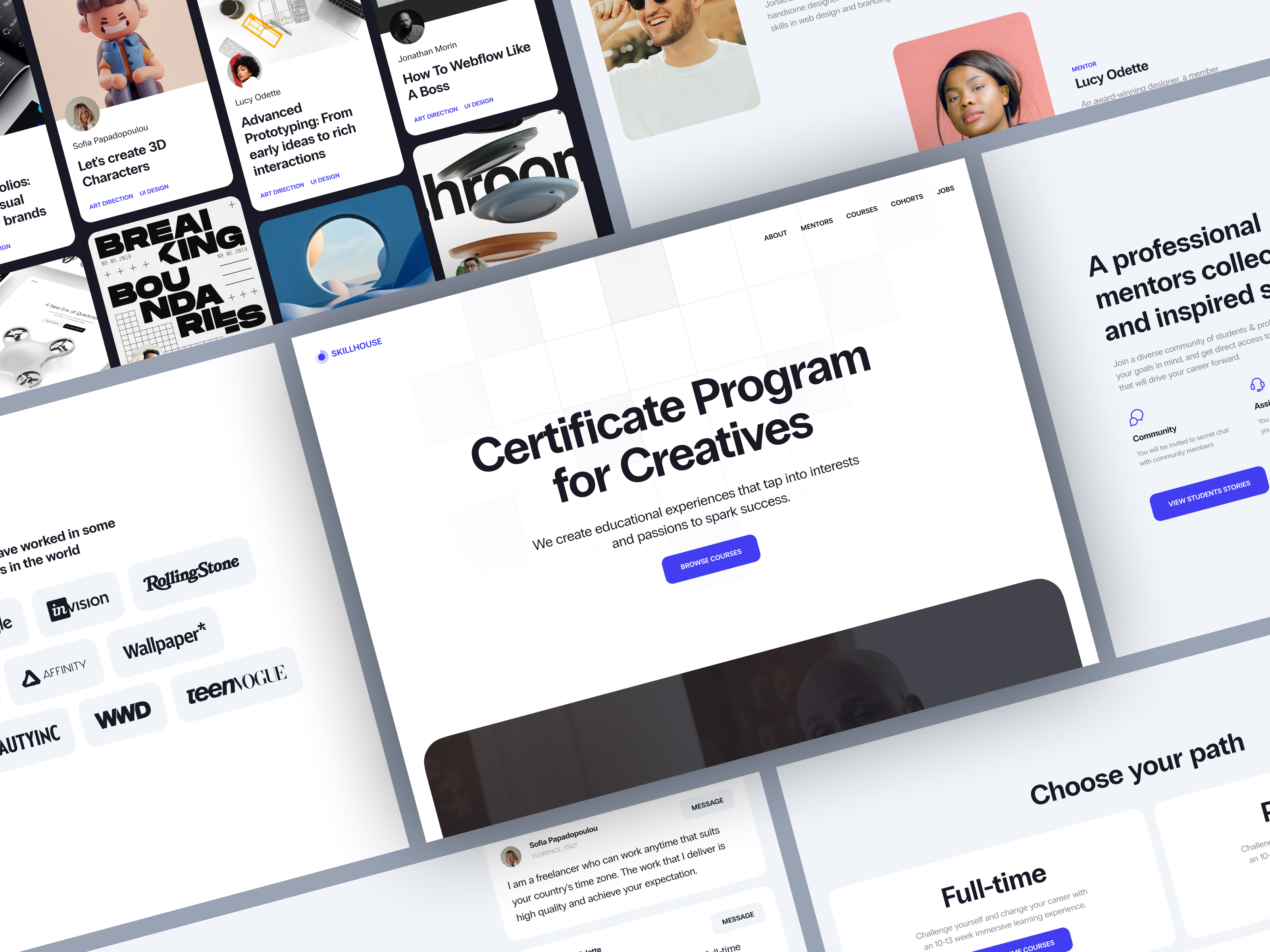
Varieties of Corporate Training Solutions
The design and functionality of corporate training platforms vary significantly based on their intended audience.
1. Internal Employee Platforms
This is the most common iteration, designed exclusively for a company’s own workforce. Its primary focus is facilitating internal operations, covering essentials such as new hire onboarding, role-specific skill acquisition, and daily procedural knowledge. Unlike general educational tools, these systems are tailored to teach employees how to function effectively within the specific context of their organization.
2. Compliance and Regulatory Systems
These platforms are specialized for managing mandatory training requirements. Their core function is not just content delivery but rigorous tracking and auditing. They handle critical items like security protocols, workplace safety rules, and industry-specific regulations. Key features include strict deadline management, automated renewals, completion verification, and detailed reporting. The priority here is accountability: knowing exactly who completed what and when to meet legal or regulatory standards.
3. Extended Enterprise Platforms
Unlike internal-only systems, these platforms extend training capabilities to external stakeholders, including clients, partners, vendors, and contractors. This broader scope necessitates a more complex architecture capable of handling diverse user groups with varying access privileges. Often structured as multi-tenant environments, these systems allow distinct organizations or user segments to operate within separate, secure spaces while sharing the same underlying infrastructure.
Essential Architectural Components
Regardless of the specific type, most robust corporate training platforms share several foundational elements:
- Content Management Infrastructure: A streamlined system for uploading, editing, and organizing learning materials is crucial. Without easy content management, information becomes stale quickly, rendering the platform ineffective.
- Role-Based Access Control (RBAC): Different users require different levels of interaction. Employees consume content, managers assign it, trainers create it, and administrators oversee the entire ecosystem. The platform must enforce distinct permissions to ensure each user group has appropriate access without compromising security or usability.
- Workflow Logic Engine: This component dictates the progression of learning experiences. It manages assignment rules, prerequisite dependencies, approval chains, automated notifications, and certification issuance. Essentially, it automates the journey from enrollment to completion.
- Analytics and Reporting Dashboards: To move beyond guesswork, organizations need visibility into platform performance. Dashboards track key metrics such as completion rates, engagement levels, assessment scores, and overdue items, providing data-driven insights into training effectiveness.
- HRIS Integrations: Seamless connectivity with Human Resources Information Systems is typically non-negotiable. Since employee data—such as job titles, departmental changes, and employment status—resides in HR systems, integrating these sources prevents data silos. Without this link, administrative teams face the tedious and error-prone task of manually syncing records across multiple platforms.

Essential Capabilities of Corporate Training Platforms
The true value of a corporate training platform is measured by its practical utility. Does it streamline the induction of new hires? Can it deliver tailored learning experiences rather than a uniform broadcast? Does it alleviate the administrative burden on HR and management? These operational questions dictate the necessary feature set.
Streamlined Onboarding Mechanisms
Onboarding represents one of the most critical use cases for these systems.
In many organizations, the initial weeks of employment are plagued by inconsistency. One manager might share outdated documents, another may overlook key steps, and new hires are left to reconstruct fragmented information from various sources. A dedicated platform eliminates this chaos by standardizing the intake process.
It transforms onboarding into a structured, linear journey. The system defines clear sequences: mandatory readings, role-specific modules, and deadline-driven milestones. By automating task assignments, the platform ensures consistency across departments and significantly reduces the manual effort required to guide each new employee.
Role-based differentiation is vital here. A software engineer, a recruiter, and an operations specialist require distinct introductory paths. While they may share common corporate fundamentals, their specialized training diverges quickly. A robust system manages these variations automatically, preventing administrators from having to manually reconstruct workflows for every new hire.
Adaptive Learning Pathways
The principle of personalization extends beyond the onboarding phase.
A "one-size-fits-all" approach rarely succeeds in modern enterprises. Without segmentation, training platforms risk becoming static repositories of ignored content. Personalized learning paths ensure relevance by aligning materials with an employee’s specific role, seniority, department, or career objectives.
For instance, a newly promoted team leader, a customer support agent, and a sales director each require unique curricula. Implementation can range from simple rule-based assignments—where specific groups receive predefined course sequences—to sophisticated AI-driven recommendations that adapt in real-time based on user behavior and progress.
Ultimately, the goal is to anchor training in the employee’s daily reality, making it feel like a relevant job tool rather than an abstract corporate mandate.
Visibility Through Tracking and Analytics
Effective management requires visibility. Without clear insights into learner progress, training initiatives become difficult to oversee.
Progress tracking is therefore a cornerstone feature. It provides real-time data on who has started, completed, or stalled in a course, along with assessment scores and overdue items. This transparency replaces manual follow-ups and guesswork with accurate, actionable data.
Reporting capabilities further empower different stakeholders. HR teams typically need high-level overviews of organizational compliance and engagement, while line managers require granular details on their team’s specific completion status. Advanced platforms elevate this through comprehensive analytics dashboards, revealing broader trends in user engagement, knowledge retention, and overall training efficacy.
Validation via Assessments and Certification
Verifying comprehension is as important as delivering content.
Most platforms incorporate various assessment methods, such as quizzes, exams, or practical simulations, directly into the learning flow. These checks serve dual purposes: reinforcing knowledge retention and acting as gatekeepers for progression. In many cases, passing an assessment is a prerequisite for accessing advanced responsibilities or completing mandatory regulatory training.
Certification features provide the formal documentation required for audit trails. This is particularly crucial in regulated industries, where proof of completion is legally mandated. The platform must manage the lifecycle of these certifications, handling expiration dates, automatic renewal reminders, and historical records to ensure continuous compliance.
Seamless System Integration
A training platform rarely operates in isolation; it functions best as part of a connected ecosystem.
Employee data, organizational structures, and access rights typically originate in other systems, such as Human Resources Information Systems (HRIS) or Customer Relationship Management (CRM) tools. If the training platform remains disconnected, organizations face data redundancy, synchronization errors, and increased administrative overhead.
Consequently, integration is not an optional extra but a core requirement. Effective platforms connect with HR systems for user provisioning, CRMs for client-facing training contexts, communication tools for notifications, and identity providers for secure access. These integrations automate user management, course assignment, and status updates, embedding the training solution deeply within the company’s existing infrastructure. From a product development standpoint, this interconnectivity positions training software as a fundamental component of internal business operations rather than a standalone content library.

The Development Lifecycle of Corporate Training Platforms
Creating a robust corporate training platform begins well before any visual design or coding takes place. The primary challenge lies not in the technical ingestion of course materials, but in defining the operational logic: how learning functions within the organization, who the stakeholders are, and how the system integrates with existing infrastructure.
1. Defining Business Goals and Use Cases
The initial phase focuses on identifying the core problems the platform must solve. Objectives may vary from accelerating employee onboarding and ensuring regulatory compliance to facilitating cross-departmental skill development often, organizations pursue multiple goals simultaneously, necessitating early prioritization.
Following goal setting, specific use cases are mapped out. This involves identifying all user personas—such as employees, managers, HR specialists, compliance officers, trainers, and administrators—and defining their respective capabilities. Key questions include: Who assigns training? Who approves completions? Who accesses analytics? Who manages content? While these inquiries seem fundamental, they fundamentally dictate the product’s architecture.
Workflow definition is equally critical. The organization must establish clear rules for task assignment, mandatory requirements, role-based dependencies, post-completion actions, and mechanisms for reminders, approvals, and recertification. Ambiguity in this logical layer will result in a confusing user experience, regardless of the interface’s aesthetic quality.
2. Enterprise-Grade UX/UI Design
Internal enterprise tools require the same level of usability consideration as consumer-facing products.
A corporate training platform must serve diverse user groups with distinct needs. Employees require intuitive dashboards that clearly display assigned tasks, completion status, and pending actions. Conversely, administrators need complex interfaces for managing courses, users, workflows, permissions, and reports. Attempting to merge these disparate views into a single interface often leads to friction and inefficiency.
Consequently, UX/UI design is pivotal. Even a functionally robust platform will fail if users struggle to navigate it or if administrators face excessive steps for routine tasks. Effective design in this context prioritizes structural clarity, intuitive navigation, and workflow efficiency over mere visual appeal.
User engagement is also a design concern, though driven by necessity rather than excitement. Most employees access the platform to fulfill obligations, not for leisure. Therefore, the interface must minimize friction, guiding users through tasks with minimal resistance. In modern implementations, this often involves leveraging frontend frameworks like React to ensure speed, component consistency, and maintainability, directly impacting the final user experience.
3. Selecting the Technology Stack
The choice of technology depends on scale, expected traffic, integration requirements, and organizational preferences. There is no universal standard, but several common patterns emerge.
Backend Technologies:
- Node.js: Ideal for projects requiring rapid iteration and a unified JavaScript stack across frontend and backend.
- Python (FastAPI): Often selected for its lightweight nature, efficiency, and ease of API development.
- Java: Preferred in large-scale enterprise environments where stability, rigid architectural standards, and long-term maintainability are paramount.
- React: Widely adopted for complex enterprise interfaces due to its component reusability and ability to handle dynamic dashboards and state changes.
- Vue.js:trong alternative for teams seeking a simpler development experience while still maintaining robust functionality.
In both cases, the frontend must support role-based logic and multiple user zones, extending beyond simple page layout into comprehensive application development.
Database Solutions:
- PostgreSQL: The standard choice for structured relational data, such as user profiles, course catalogs, assignments, completion records, and permissions.
- MongoDB: Useful for scenarios requiring flexible, document-based storage, particularly for unstructured content or variable data models.
Infrastructure and Deployment:
- Docker: Commonly used to containerize services, ensuring consistent environments across development and production.
- Kubernetes: Becomes essential as the platform scales, providing advanced orchestration, deployment control, and automated service scaling.
4. Architectural Design and Scalability
At this stage, the project transitions from a collection of features into a cohesive, functional system.
The architecture must be designed with future growth in mind. An organization might start with basic onboarding and internal courses but later expand to include compliance modules, certification programs, external user bases, or segregated spaces for different business units. If the initial build is too rigid, every new requirement will necessitate costly and disruptive restructuring.
Role-based access control (RBAC) is foundational. Employees, managers, HR personnel, content creators, and administrators each require distinct permission levels. Some users only consume content, while others assign tasks, edit materials, monitor progress, or manage user accounts. Failing to define these hierarchies early leads to security vulnerabilities and operational chaos.
For organizations operating across multiple branches, subsidiaries, or partner networks, multi-tenant architecture may be necessary. This allows a single platform instance to serve diverse groups while keeping their data, content, and reporting strictly isolated. In such scenarios, internal training platforms begin to resemble commercial SaaS solutions, requiring robust separation logic to prevent data leakage between tenants.
5. Integrations and Workflow Automation
A training platform rarely operates in isolation; its value is amplified by connecting with existing enterprise systems.
Integrations typically link the platform with HR information systems (for employee data), identity providers (for secure access), and internal directories (for role and department mapping). For customer-facing or partner training, connections to CRM platforms may also be essential.
These integrations enable critical automation. For example:
- Onboarding: New hires are automatically enrolled in relevant induction paths upon hiring.
- Role Changes: When an employee changes roles, the system updates their required training curriculum accordingly.
- Compliance: Expiring certifications trigger automatic reminders, eliminating the need for manual follow-ups.
This automation reduces administrative overhead, minimizes human error, and ensures that training processes run smoothly without constant manual intervention. It transforms the platform from a static repository into a dynamic component of daily operations.
6. Quality Assurance and Deployment
Testing extends beyond verifying individual features; it focuses on validating real-world usage scenarios.
QA teams must ensure that workflows function correctly for all user types. Can a new hire seamlessly access their assigned path? Do managers see accurate reports? Do assessments grade correctly? Are permissions enforced properly when multiple user roles interact with the system simultaneously?
Performance under load is critical. A platform that performs well with a small pilot group may struggle when deployed company-wide. High concurrent usage can strain resources, affecting dashboard loading times, video streaming, notification delivery, and report generation. Stress testing before launch helps identify bottlenecks, preventing performance issues post-deployment.
Deployment methods vary based on organizational requirements. While some companies prefer standard cloud hosting, others with strict security or regulatory mandates may require on-premise solutions or private cloud environments. The release process must align with these infrastructure constraints, ensuring the platform integrates securely and reliably into the existing enterprise ecosystem.
7. Post-Launch Maintenance and Scaling
Launch is not the endpoint; it is the beginning of the platform’s operational lifecycle.
Real-world usage often reveals unforeseen issues. Workflows may prove cumbersome, reports may lack necessary details, or permission structures may need refinement. As organizational structures evolve and content updates occur, the platform must adapt. Regular maintenance—including bug fixes, feature enhancements, UI improvements, and infrastructure updates—is essential to keep the system aligned with business needs.
As the user base grows, so does complexity. A system designed for a single department may face significant challenges when scaled to a global enterprise. Increased data volume, more intricate access rules, higher reporting demands, and greater server load require ongoing optimization.
Therefore, corporate training platform development is an iterative process. Long-term success depends on sustained support, regular iteration, and scalable infrastructure. Reliable post-launch services are crucial to ensure the platform remains effective, secure, and relevant as the organization evolves.
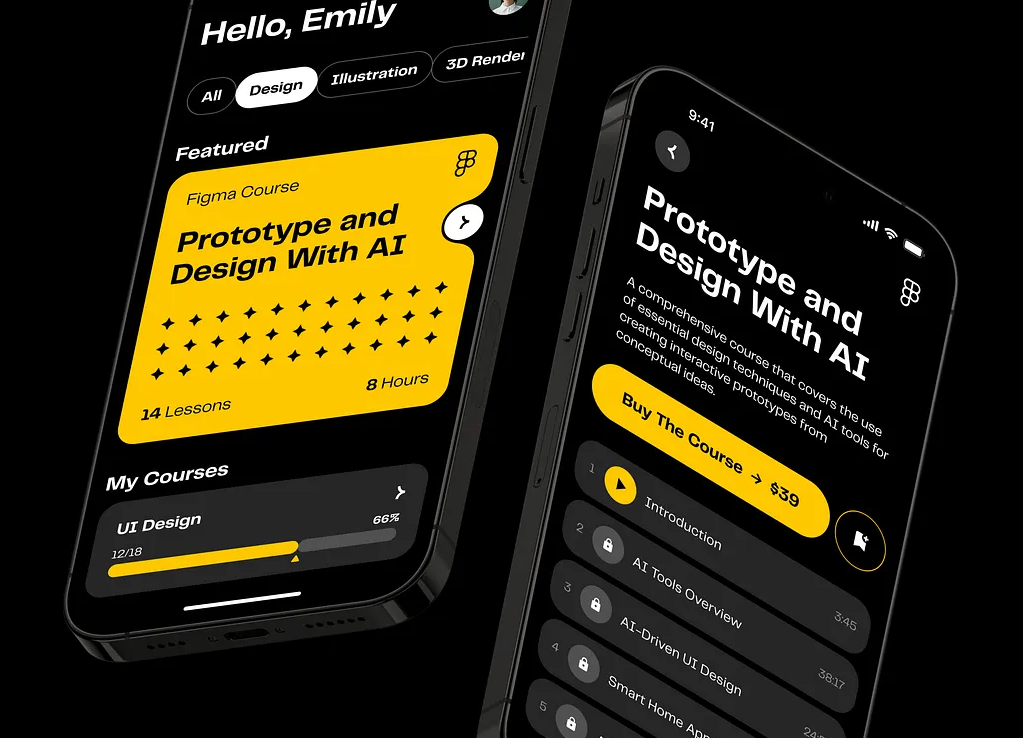
Navigating Common Pitfalls in Corporate Training Development
The most significant hurdles in building corporate training platforms often emerge only after the initial launch. While the technical construction is complex, the operational realities of deploying the system within a live organization present unique challenges.
1. Driving Genuine User Engagement
A frequent post-launch issue is low employee engagement. Organizations may invest heavily in content creation and system deployment, only to find that users rush through modules, procrastinate, or ignore the platform entirely unless compelled by management.
This resistance rarely stems from an inherent dislike of learning. Instead, it usually reflects a mismatch between the content and the user’s needs. If materials feel abstract, excessively long, or disconnected from daily tasks, employees view them as bureaucratic hurdles rather than valuable resources. To combat this, content must be concise, relevant, and directly applicable to the employee’s specific role.
2. Integrating with Legacy Infrastructure
New training platforms are rarely introduced into a vacuum. Most enterprises operate within a complex ecosystem of legacy systems, including older HR software, disjointed user directories, and fragmented reporting tools.
Integrating a modern platform with these aging systems can be technically fraught. Data formats may be inconsistent, structures may not align, and critical business logic might still reside in manual processes rather than digital workflows. Bridging these gaps requires careful data mapping and often necessitates custom middleware to ensure seamless communication between old and new systems.
3. Managing Scale and Complexity
A platform that functions smoothly for a pilot group or single department may struggle under the weight of enterprise-wide adoption. As usage expands, several friction points arise:
- Workflow Diversity: Different departments require distinct processes, complicating universal rule sets.
- Permission Creep: As roles multiply, managing access rights becomes increasingly intricate.
- Content Bloat: Without strict governance, the library can become disorganized, turning the platform into a chaotic repository rather than a curated learning hub.
Without a scalable architecture and clear content strategy, the user experience degrades, leading to frustration and abandonment.
4. Ensuring Rigorous Compliance Tracking
For regulated industries, training is not just about education; it is about accountability. The platform must serve as an auditable record-keeping system. It must accurately track who completed specific modules, when they did so, whether certifications have expired, and if mandatory retraining was assigned promptly.
If the tracking logic is flawed or incomplete, the organization faces regulatory risks. This is not merely a software bug but a critical process failure that can have legal and financial consequences. Therefore, compliance features must be robust, immutable, and easily exportable for audits.
5. Supporting Mobile and Flexible Access
The assumption that employees will always access training from a desktop computer in a quiet office is increasingly outdated. Modern workforces are mobile, often accessing resources from smartphones during breaks, while commuting, or from home.
If a platform does not optimize for mobile devices—lacking responsive design or intuitive touch interfaces—it creates barriers for a significant portion of the workforce. A "mobile-first" or at least "mobile-responsive" approach is essential to ensure that learning is accessible anytime, anywhere, reducing friction for non-desk employees.

The Strategic Value of Specialized Development Partners
The concept of a corporate training platform often appears straightforward until the complexity of real-world requirements emerges. What begins as a simple repository for onboarding materials and internal courses quickly evolves into a multifaceted system. HR departments demand detailed analytics, managers require visibility into team progress, and compliance officers need automated enforcement of mandatory training, deadlines, and certifications. Furthermore, the platform must seamlessly integrate with existing HRIS, identity management systems, and internal tools. At this stage, the project transcends the definition of a simple content portal.
This complexity is why organizations frequently engage specialized development firms with proven expertise in this domain.
1. Robust Architectural Planning
A primary advantage of professional development is forward-thinking architecture. Systems built solely for immediate needs often become cumbersome as the organization evolves. New roles emerge, departments expand, and workflows deepen in complexity. Without a scalable foundation, the platform can buckle under its own weight. Experienced teams anticipate these growth trajectories, designing flexible architectures that accommodate future expansion without requiring costly rebuilds.
2. Scalability and Evolution
Training platforms rarely remain static. A solution initially designed for employee onboarding may later need to support regulatory compliance, internal certification programs, partner education, or segmented learning environments for different business units. Building with scalability in mind ensures that the system can grow organically, accommodating new user groups and functional requirements without performance degradation or structural instability.
3. Tailored Customization
Off-the-shelf solutions offer convenience but often lack the flexibility required for unique organizational structures. Custom development allows companies to embed specific business logic into the platform, such as:
- Granular access control rules.
- Role-specific dashboards and reporting views.
- Internal approval workflows that mirror existing operational processes.
- Custom notification and escalation protocols.
This alignment ensures the software serves the business, rather than forcing the business to adapt to the software’s limitations.
4. Seamless Integration Expertise
In enterprise environments, training data does not exist in isolation. It relies on accurate information from HR systems, employee directories, and other core business applications. Integrating with legacy systems or complex data structures is often the most challenging aspect of development. Specialized firms possess the technical expertise to navigate these integration hurdles, ensuring data consistency and automating user provisioning, which prevents administrative bottlenecks and data silos.
5. SaaS-Informed Product Strategy
Partnering with a developer experienced in broader SaaS product development brings additional value. These teams understand the core challenges of digital products—such as user retention, iterative improvement, and long-term maintainability. They apply product-thinking principles to ensure the platform is not just a functional tool but a sustainable asset that supports the company’s long-term goals.
Final Perspectives
The development lifecycle—from conceptualization and architectural design to coding and deployment—is standard. However, the true measure of success lies in the platform’s sustained utility after launch.
Long-term effectiveness hinges on three critical factors:
- User Engagement: If the platform feels burdensome or irrelevant, employees will disengage, rendering the investment futile. Content and UX must prioritize relevance and ease of use.
- Scalable Growth: The system must adapt effortlessly to organizational changes, including new teams, evolving roles, expanding content libraries, and shifting reporting needs.
- Intuitive Usability: The interface must be clear for both learners and administrators. Employees should navigate their learning paths without confusion, while admins should manage content, users, and workflows efficiently, without battling a clunky interface.
Ultimately, many organizations choose custom development over generic solutions because training is deeply intertwined with internal operations. By building a platform around the specific rhythms and requirements of the business, companies create a tool that enhances rather than hinders their operational efficiency.
About the Creator
Shakuro
We are a web and mobile design and development agency. Making websites and apps, creating brand identities, and launching startups.
Enjoyed the story? Support the Creator.
Subscribe for free to receive all their stories in your feed.
Comments
There are no comments for this story
Be the first to respond and start the conversation.