

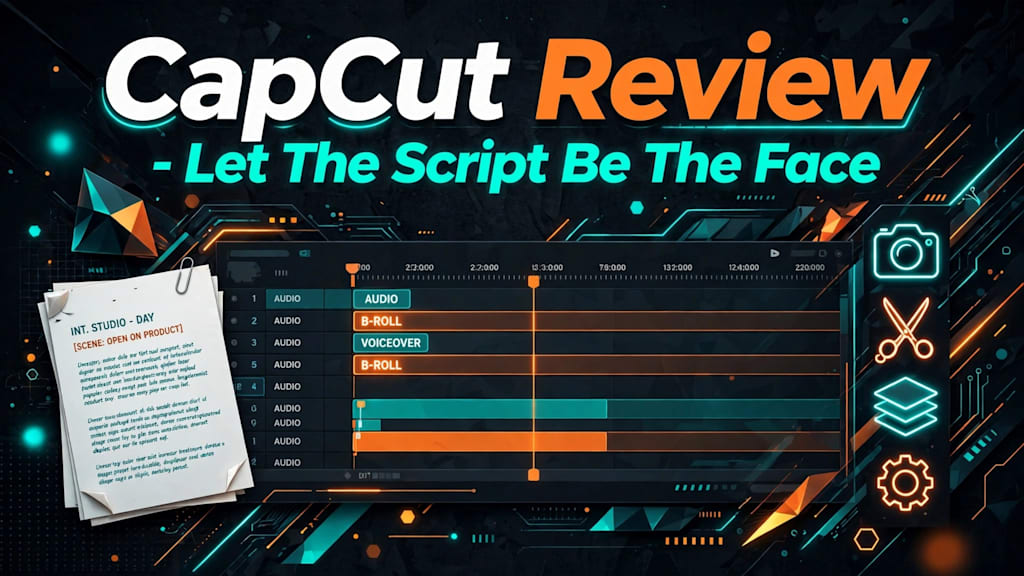
A faceless channel lives or dies on the script, because there is no presenter on screen to rescue a weak line. A free AI video generator for faceless videos should treat those words as the main input and build everything else around them.
CapCut's version does that on paper. Its tool page describes a flow where the script goes in first, then a style, a ratio, and a voice, and only then does a video come out. That order suits anyone who would rather narrate than appear. The review below follows the page step by step and stays on one question: how much of a faceless video can the script carry before you have to step in?
How The Script Box Carries A Faceless Video
The page lists four key features: Instant AI video, AI-driven script writing, flexible video style options, and multiple voiceover selections. Read them as a sequence, not a menu. The script comes first, the style dresses it, and the voice reads it. Nothing on that list asks for a camera, a ring light, or a face.
Getting there takes two clicks, according to the how-to section. You open CapCut on the desktop, choose AI video maker from the main menu, and then click Instant AI video. The next step is named plainly: Enter the script. Everything a presenter would normally do on screen has to be written into that box instead, so the box deserves more time than any setting that follows it.
Type Your Own or Let the Writer Draft
The page gives you two ways to fill the box. You can type a script you already have or hand the tool a topic and let its AI writer produce a structured draft. For a faceless channel, the first route is usually the stronger one. Your wording is the only personality the video has, and a generated draft tends to sound like every other generated draft.
The writer still earns its place on a blank night. Use it for the skeleton, then rewrite the opening line and the closing line yourself. Those are the two places where a viewer decides whether a voice without a face is worth following. Keep the hook short enough to say in one breath, and make the closing line a single clear instruction, such as what to watch next. A narrator who ends on a vague sign-off sounds like a tool. One who ends on a specific next step sounds like a person.
Short Sentences Give The Visuals Something To Match
CapCut's guides describe the maker splitting a script into scenes and matching visuals to each one. That turns sentence length into a picture decision. A sentence that names one thing, such as a kettle, a spreadsheet, or a mountain road, gives the tool one thing to show. A sentence carrying three ideas gets one picture for all of them, and two of the ideas go unillustrated.
Read the script aloud before you paste it. Wherever you run out of breath, the scene is too long, so split it there. This is dull work. It is also cheaper than regenerating a video because the visuals drifted away from the words.
Pick One Style That Suits The Narration
Step two of the how-to names three styles: cinematic, realistic, and animated. The features section stretches the range further, from cinematic to minimalist, and says transitions, pacing, and visual effects can be chosen as well. The style is a smaller decision than it looks, and it should follow the script, not lead it.
Cinematic suits stories, history, and anything with a mood to hold.
Realistic suits facts, how-to content, and product explainers.
Animated suits abstract ideas that have no obvious photograph.
Those pairings are editorial advice, not CapCut's wording. The page names the styles and leaves the matching to you. A useful test is to look at the nouns in the first five sentences. If they are places and events, lean cinematic. If they are objects and steps, lean realistically. If they are ideas, lean animated.
Realistic Keeps Explainers Believable
An explainer about saving money or cleaning a laptop asks the viewer to trust the information. Footage that looks like the real world supports that trust. A dramatic cinematic grade on a budgeting tip makes the tip feel like an advert. If the script teaches, pick the plain option and let the narration carry the authority.
Animated Covers: What a Camera Cannot
Some scripts have nothing to film. Inflation, sleep cycles, and the way an algorithm ranks a post have no natural shot. Animated visuals can draw an idea where realistic ones can only show a person looking thoughtful, which is the exact shot a faceless creator is trying to avoid. Choose this style when the script deals in concepts instead of objects.
Choose The Voice Before You Press Create
The voice is the face now. The page says voiceovers come in different tones, accents, and genders, and the setting sits in the same step as the style and the aspect ratio. Pick it with the audience in mind. A calm voice suits a long explanation. A brighter one suits a thirty-second tip.
Whichever you choose, keep it. A channel that changes narrator with every upload feels like a different channel every time. Faceless creators have no familiar face to carry recognition from one video to the next, so the repeated voice has to do that job. Write the voice name down next to the style you picked and treat the pair as the channel's uniform.
Aspect Ratio Is a Publishing Decision
The same step asks for an aspect ratio. The page does not list the options, so check the selector when you open it. What matters is deciding where the video will live before you click Create. Vertical is the shape for TikTok, Reels, and Shorts. Landscape is the shape for a standard YouTube upload. Reframing after-generation crops visuals that were composed for a different shape, and the crop usually lands on the part of the picture your sentence was describing.
What Free Actually Covers
The page is direct about price. Its FAQ calls the generator completely free, with no hidden fees or watermarks, and the banner adds that no credit card is needed. The AI writer, the voiceovers, and the styles are all described as part of that free offer.
CapCut's own guide to its free tier, dated October 28, 2026, goes into more detail. It names three limits worth watching: credits, watermark, and resolution. It suggests keeping a first free project to roughly 10 to 15 seconds so the allowance lasts through one good take, and it notes that a clean export depends on which features and assets the project uses.
Neither statement cancels the other. You can start without paying, and how much you can finish for nothing depends on what the project touches. Check your credit balance and the export panel before you promise an audience a daily upload schedule. This review read the tool page and that guide. It did not generate or export a video, so treat the limits as CapCut's published position, not a test result.
Where The Draft Still Needs You
Clicking Create produces a draft, and the page expects you to work on it. After generation, you can replace visuals, adjust scenes, add captions and background music, and bring in your own uploaded media. For faceless content, captions are the job to do first. Plenty of people scroll with the sound off, and a narrated video with no face and no text gives them nothing to hold.
Then watch the draft once with the script beside you. Mark every scene where the picture does not match the sentence, and replace only those. Resist the urge to restyle the whole video because one scene is missed. A targeted swap keeps the parts that already work.
Export comes last. The page says you can set resolution, frame rate, and quality at this point. The FAQ lists MP4 and MOV as the supported formats, and sharing to TikTok and YouTube is offered from the same step. Pick the settings once, note them, and reuse them so every upload on the channel looks like it came from the same place.
Let The Script Do The Talking
Writers who would rather be heard than seen are the people this tool fits. Put the script in the box, pick the style that matches its subject, choose one voice and keep it, then fix the scenes that drifted. CapCut is a sensible desk for that order, because the words are the input and the footage is built to follow them.
Someone who wants to appear on camera, or who already has hours of filmed footage, is doing a different job and needs an editor more than a generator. For the creator holding a finished script and no wish to film, the video should start from the lines on the page.
About the Creator
Gulshan
SEO Services, Guest Post & Content Writter.
Enjoyed the story? Support the Creator.
Subscribe for free to receive all their stories in your feed.
Comments
There are no comments for this story
Be the first to respond and start the conversation.