
A Small Business Workflow for ChatGPT-Assisted Product Videos
A practical small business workflow for ChatGPT-assisted product videos: facts, script, shot list, editing, checks, and publishing, step by step.

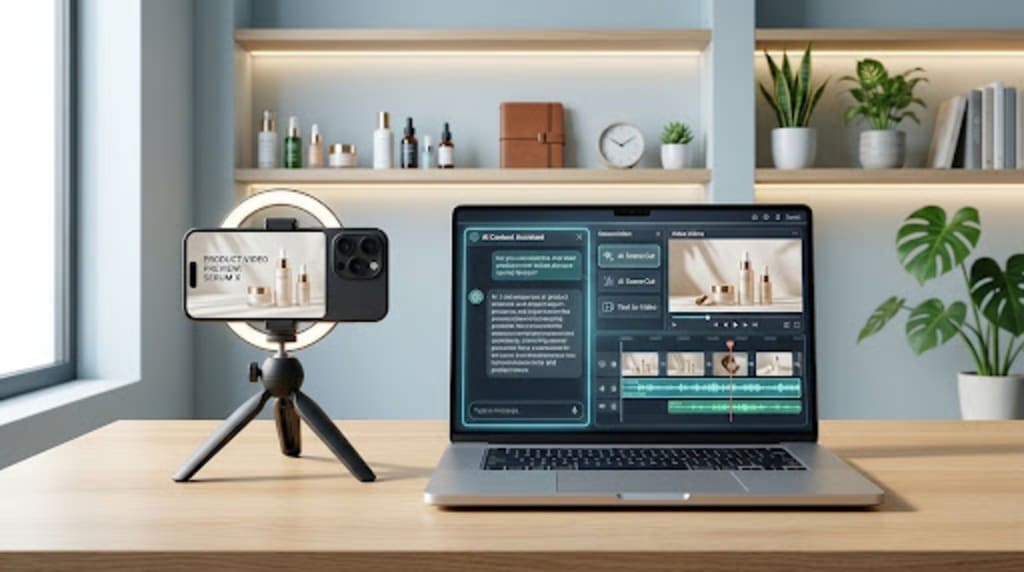
Product photos show what you sell, but videos actually let shoppers see your product in action. That difference can make or break a sale. If you run a small business, you already know how tight your schedule is. Taking on script writing, shot planning, and video editing feels like just one more thing on your plate.
Take the candle maker I worked with last year. She had forty products and hadn’t made a single product video. We came up with a straightforward workflow: use ChatGPT for all the writing and planning, rely on her phone for filming, and batch the work in short bursts. That’s how she cranked out six videos in a week.
I’m laying out that workflow here so you can use it in your own shop.
Quick Overview: The Workflow
It’s a seven-step process. You can do a single video in an afternoon, or batch a bunch over several days.
Here’s the order:
Make a product fact sheet.
Set the goal and audience for your video.
Draft your script with ChatGPT.
Turn the script into a shot list.
Film or grab your footage.
Assemble the video and add captions.
Review, publish, and track results.
Every step gives you something concrete to build on, so you never feel stuck guessing what’s next.
Step 1: Make a Product Fact Sheet
ChatGPT works best with solid info. If you feed it guesses, it fills in blanks, and that leads to mistakes. So, start by writing down the details for each product; keep it one page.
Include:
Name and brief description
Size, weight, materials, colors
Three to five real benefits (no exaggerations)
Who it’s meant for, and who’s better off passing
Price, shipping, returns
Care or safety info
This sheet stops you from accidentally inventing claims, and you can paste it into all your prompts. If you tweak the product, update the sheet, and you’re good.
Step 2: Set the Goal and Audience
Not every video needs to cover everything. Pick what each one is for; maybe you’re introducing a new product, answering a frequent question (“Will this fit my counter?”), comparing two options, or just showing it in use.
Figure out who you’re talking to a first-timer looking for reassurance, or a loyal customer wanting news. Write that down in a sentence, since you’ll need it for ChatGPT.
Step 3: Draft the Script With ChatGPT
You’ve got your fact sheet and your purpose. Paste both into ChatGPT and give clear instructions. Something like: “Using only the facts below, write a 30-second product video script for first-time buyers. Open with a hook in the first line. Use short sentences and contractions. Mention three benefits. End with a clear next step. Do not add any claims that aren't in the fact sheet.”
That last line matters, by the way; it keeps the AI honest.
Read It Out Loud
Scripts look fine typed out, but can get awkward when spoken. Read yours aloud. If it trips you up, ask ChatGPT for a simpler sentence.
Double-Check Every Claim
AI loves making stuff sound good, but accuracy matters. Match every claim with your fact sheet, especially numbers, materials, labels like “best,” “guaranteed,” and so on. You do not want legal trouble.
Step 4: Turn the Script Into a Shot List
Now you need visuals. Ask ChatGPT to break your script into short shots three to six seconds each and suggest what to show for every line.
Here's an example for a 22-second video about an insulated travel mug:
Shot
What to show
Line to say or caption
Length
1 (hook)
The product in use, close up
This mug keeps coffee hot for hours. Here's the proof.
4 sec
2
Hands opening the lid and pouring
The lid locks with one twist, so no spills in your bag.
5 sec
3
Size comparison next to a hand
It holds 12 oz and fits most cup holders.
4 sec
4
Three color options in a row
Pick from three finishes.
4 sec
5 (close)
Product on a clean background, price card
Order today. Ships in two business days.
5 sec
This table becomes your filming checklist. It also keeps the video tight. If a shot doesn't match a line, you probably don't need it.
Step 5: Film or Collect Your Footage
You don’t need fancy gear. A current smartphone and some quick prep work do wonders.
Tips:
Use natural light: shoot near a window during the day.
Keep your background simple: table, wall, poster board, whatever’s clean.
Stabilize your phone: stack some books, snag a cheap tripod.
Mix up your angles: wide, close, hands-on.
For voiceover, pick a quiet spot; a closet full of clothes works.
Try filming all your shots in one go, even if you don’t use everything. It saves time.
Step 6: Assemble the Video and Add Captions
Edit your clips in order, trim as needed, and add voiceover or text overlays. Any basic editing app will do; there’s even one on your phone.
If you’re short on time or launching before you have the product, tools like a ChatGPT video generator for business can turn your script into a draft with visuals and voice. It’s not the same as showing your actual product, but it helps for teasers or explainers.
Always add captions; tons of people watch with the sound muted, especially on social media. Double-check auto-text for errors, especially names and measurements.
Step 7: Review, Publish, and Track Results
Before sharing, watch your video through fresh eyes.
Check:
Does the opening grab attention?
Does the footage show the true product?
Is price, shipping, and returns info correct?
Is your music licensed?
Do captions match the audio?
Publish where your customers hang out: product pages, social, newsletters, etc. Product-page videos matter most, since that’s where decisions get made.
Track Simple Numbers
You don’t need fancy analytics. Look at three things: plays, watch time, and whether sales or clicks rise. Compare a couple of videos. If people drop off in the first few seconds, rewrite your opening.
Batching: How to Save Time
One video at a time works, but batching is way more efficient. Try this weekly rhythm:
Monday: Update fact sheets, draft four scripts with ChatGPT.
Tuesday: Review, tweak scripts, create shot lists.
Wednesday: Film all four in one go.
Thursday: Edit and caption.
Friday: Review, publish, schedule posts.
Save your best prompts, so you’re not reinventing the wheel. After a few weeks, it’s second nature.
Common Mistakes to Avoid
Skipping the fact sheet. Without it, scripts get generic or just plain wrong.
Trying to say too much. Stick to one message per video.
Publishing unchecked AI wording. Always review for accuracy and tone.
Ignoring sound. Bad audio ruins otherwise good video.
Using unlicensed music/images. Stick with assets you have the right to use.
The Bottom Line
You don’t need a full production crew to make good product videos. You need a repeatable method. Start with solid facts, write a clear script, plan your shots, film in one session, and check everything before hitting publish.
Pick one product this week and run it through these steps. After your first video, the next one will come faster, and soon it’ll just be part of your routine.
Frequently Asked Questions (FAQs)
Can ChatGPT make a product video by itself?
Not really. ChatGPT handles writing scripts, shot lists, captions, and descriptions, but it can’t film or edit by itself. You still need a camera or a separate tool for the final product.
How long should a product video be?
On social, 15–45 seconds is best. On product pages, 30–90 seconds gives you room to say more. Start short and see what works.
Do I need expensive gear?
Nope. A good smartphone, daylight, and a clean backdrop cover most needs. Lighting and audio matter way more than a pricey camera.
How do I keep AI-written scripts accurate?
Give ChatGPT just the facts, tell it to use only those, and check every line before publishing. Treat what you get as a draft, not a finished piece.
About the Creator
Enjoyed the story? Support the Creator.
Subscribe for free to receive all their stories in your feed.
Comments
There are no comments for this story
Be the first to respond and start the conversation.